 Drive DTC
Clear trouble codes
Clearing is the one thing Drive DTC can change. You type CLEAR to confirm, and only engine and transmission codes are cleared.
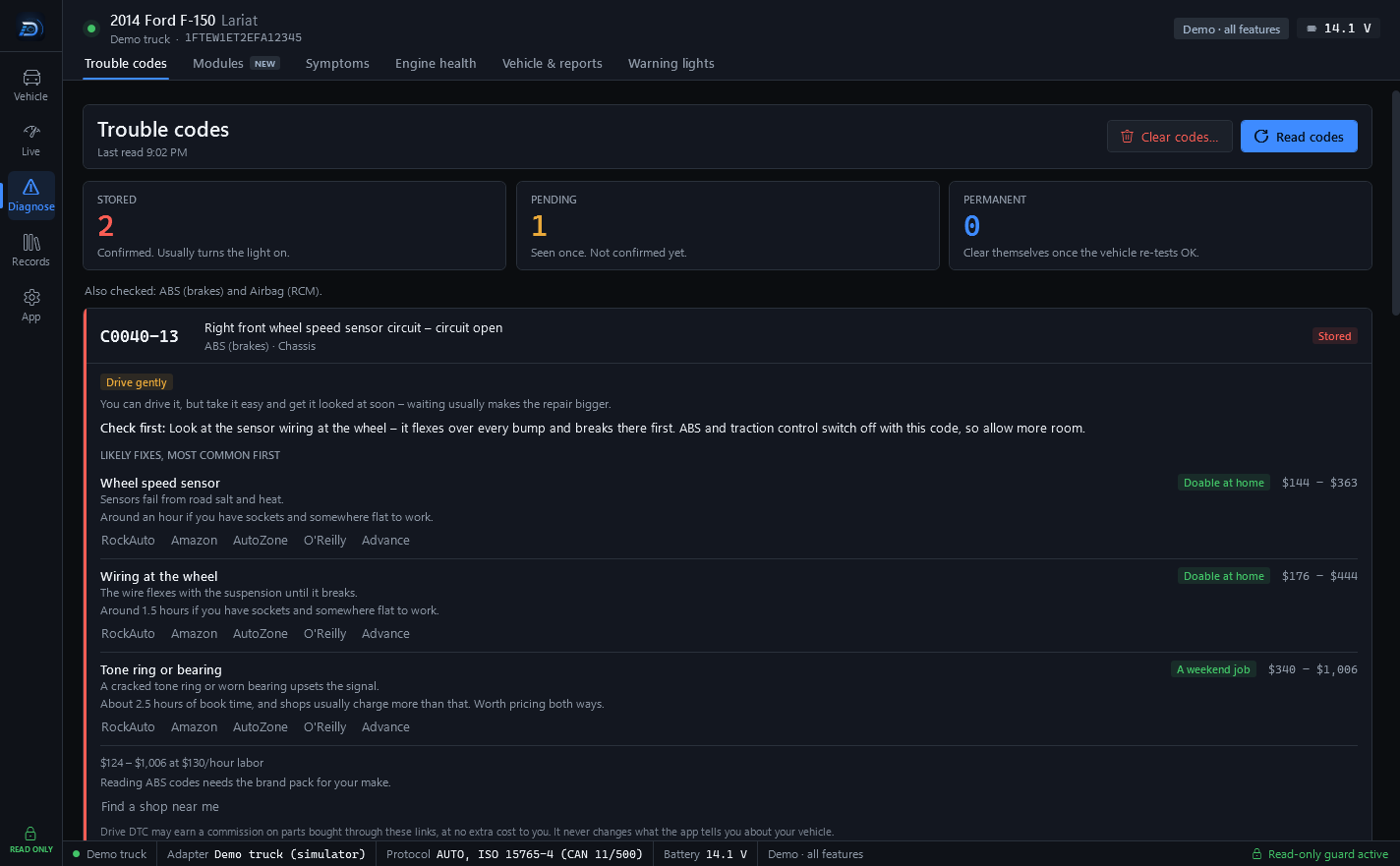
Clearing trouble codes is the only action in Drive DTC that changes anything on the vehicle. It erases the engine and transmission codes and turns off the check engine light. It does not fix anything.
Clear them
- Park with the engine off and the ignition on.
- Go to Diagnose → Trouble codes and press Clear codes…
- Read the dialog. It says what will happen.
- Type CLEAR in the box under TYPE CLEAR TO CONFIRM.
- Press Clear codes. Cancel backs out without sending anything.
The dialog says, in full:
- This erases stored and pending codes and the freeze frame, and turns off the check engine light.
- It also resets the emissions readiness monitors. The vehicle will need a normal drive cycle before it passes an emissions inspection.
- It does not change any settings or fix anything. If the problem is still there, the code will come back.
- Park with the engine off and the ignition on. Drive DTC checks speed and RPM first and will not clear anything otherwise.
- Only engine and transmission codes are cleared. ABS and airbag codes stay: have those faults repaired and cleared by a qualified shop.
Warning: Clearing codes erases stored diagnostic information and freeze-frame data, turns off the check engine light and resets emissions readiness monitors, which can cause a vehicle to fail an emissions inspection until it completes normal drive cycles. Clearing codes does not repair anything, and the underlying problem may remain or get worse. You choose whether to clear codes, and you do so at your own risk.
What it will not do
- Clear ABS or airbag codes. That request is blocked in the code itself.
- Clear anything while the vehicle is moving or the engine is running.
- Change a setting, reset a module or run a test.
- Remove permanent codes. Those clear themselves once the vehicle re-tests OK.
If clearing is paused
Occasionally the Trouble codes page shows a banner that clearing is paused by Drive DTC for now while a problem is looked at. Reading codes still works. Try again later.
Before an emissions test, read Readiness monitors and the drive-cycle coach so you know which monitors need to finish again.
Last updated
Was this helpful?