 Drive DTC
Your garage key and recovery key
Your cloud garage is encrypted on your PC. The recovery key is the only way back in if you forget your password.
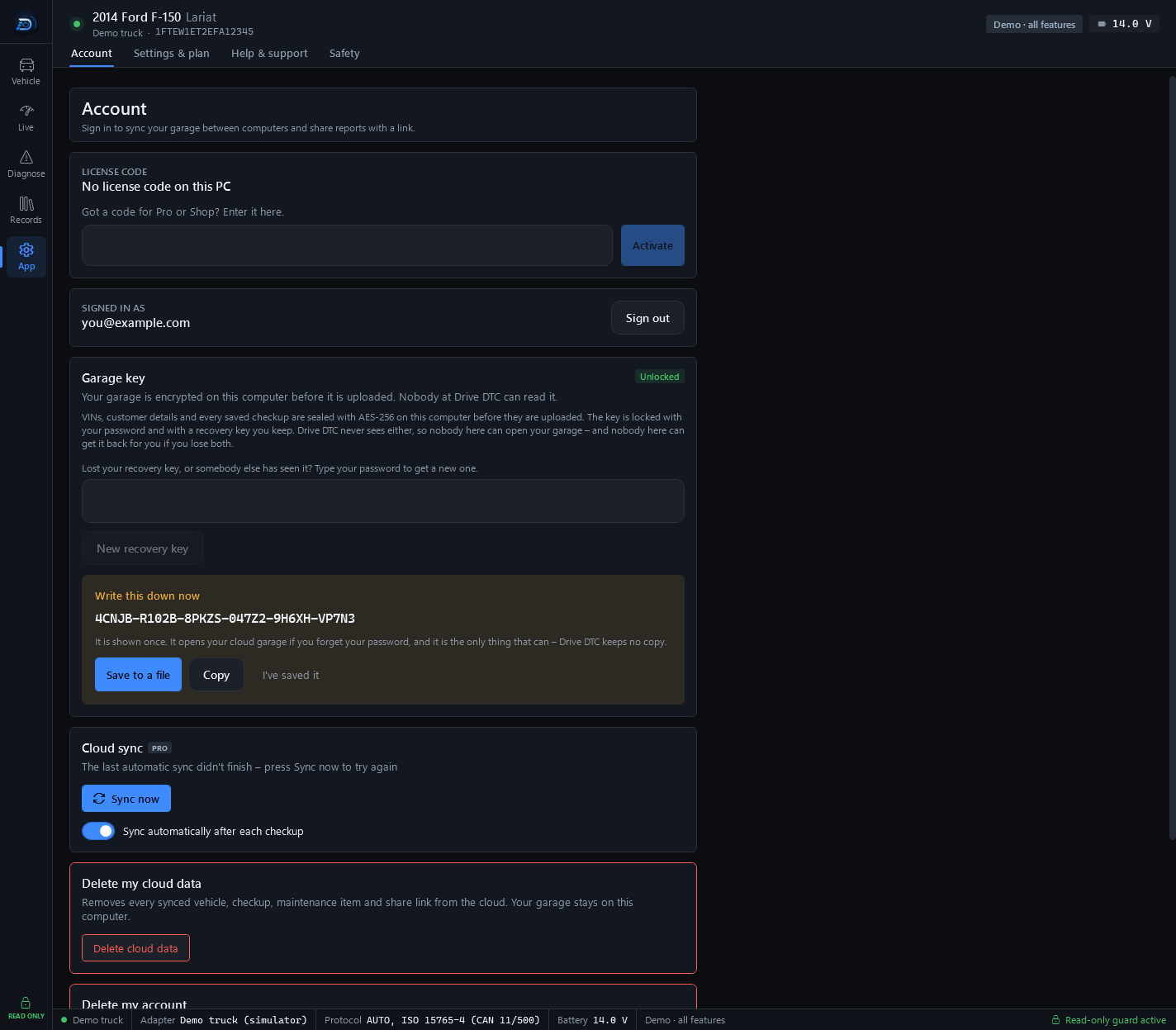
The Garage key card on the Account page explains it in one paragraph: VINs, customer details and every saved checkup are sealed with AES-256 on this computer before they are uploaded. The key is locked with your password and with a recovery key you keep. Drive DTC never sees either, so nobody here can open your garage – and nobody here can get it back for you if you lose both.
The first time
The first time your garage is encrypted, the Account page shows a box headed Write this down now with a 30-character recovery key. It is shown once.
- Press Save to a file, or Copy, or write it down somewhere safe.
- Press I've saved it.
The recovery key opens your cloud garage if you forget your password, and it is the only thing that can. Drive DTC keeps no copy.
Unlock a locked garage
The card shows Locked when this computer does not have the key yet, for example on a new PC or after you changed your password.
- Type your account password and press Unlock garage.
- Changed your password, or forgotten it? Type your recovery key and the password you use now, then press Unlock with recovery key.
Get a new recovery key
Lost your recovery key, or somebody else has seen it? While the garage shows Unlocked, type your password and press New recovery key. The new key is shown once, like the first one.
Warning: If you forget your password and lose your recovery key, the cloud copy of your garage can't be opened by anyone, including Drive DTC. The garage on your own computer is untouched.
Last updated
Was this helpful?