 Drive DTC
Maintenance reminders, fuel log and warranty
Set up a full service schedule in one press, log fill-ups for real MPG, and see what is left on the warranty.
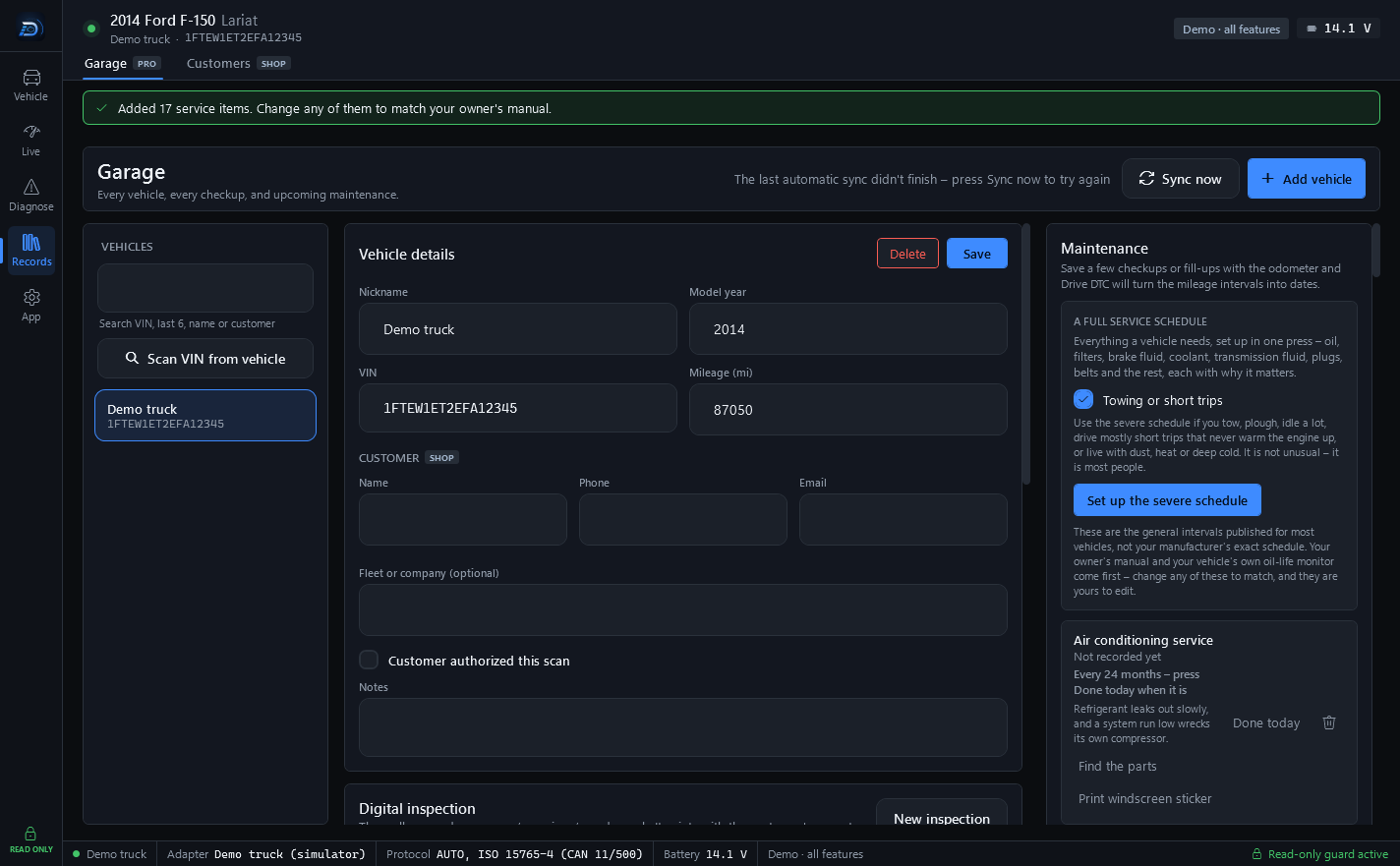
The right-hand column of the Garage (Records → Garage, part of Drive DTC Pro) holds the things that happen between checkups: maintenance, fuel and warranty.
A full service schedule
Everything a vehicle needs, set up in one press – oil, filters, brake fluid, coolant, transmission fluid, plugs, belts and the rest, each with why it matters.
- Select the vehicle in the Garage.
- Tick Towing or short trips if you tow, plough, idle a lot, drive mostly short trips that never warm the engine up, or live with dust, heat or deep cold. That switches to the severe schedule. It is not unusual – it is most people.
- Press Set up the full schedule.
These are the general intervals published for most vehicles, not your manufacturer's exact schedule. Your owner's manual and your vehicle's own oil-life monitor come first – change any of these to match, and they are yours to edit.
Add one item
Under ADD ITEM, press a preset (Oil change, Tire rotation, Engine air filter, Cabin filter, Spark plugs) or fill in Title, Last done (date), Every (months), At mileage and Every (miles), then press Add.
Each item shows when it is next due. Press Done today when you have done it. Find the parts opens a parts search. Print windscreen sticker prints a 3½ × 2 inch sticker with when this is next due. On the Shop plan it carries your shop's name; otherwise it says Drive DTC.
Save a few checkups or fill-ups with the odometer and Drive DTC will turn the mileage intervals into dates.
Windows reminders
Settings & plan → Reminders → Notify me about recalls and maintenance. For vehicles in your garage: a Windows notification when NHTSA lists a new safety recall for the model, and when maintenance you set up is due. Checked while Drive DTC is open.
Fuel log
Enter Odometer, Gallons and Total cost, tick Partial fill if you did not fill up, and press Add fill-up. Each fill shows its MPG. With fill-ups, invoices and receipts saved against the vehicle, What it costs shows a cost per month and per mile. It can only count what has been put in.
Warranty
Enter First sold (date) and the bumper-to-bumper and powertrain terms. The Warranty panel shows each coverage with a status chip so you know what is still covered before you pay for a repair.
Last updated
Was this helpful?