 Drive DTC
Save, print and share a report
Save an HTML report for free. Print, save as PDF or copy a 30-day share link with Pro.
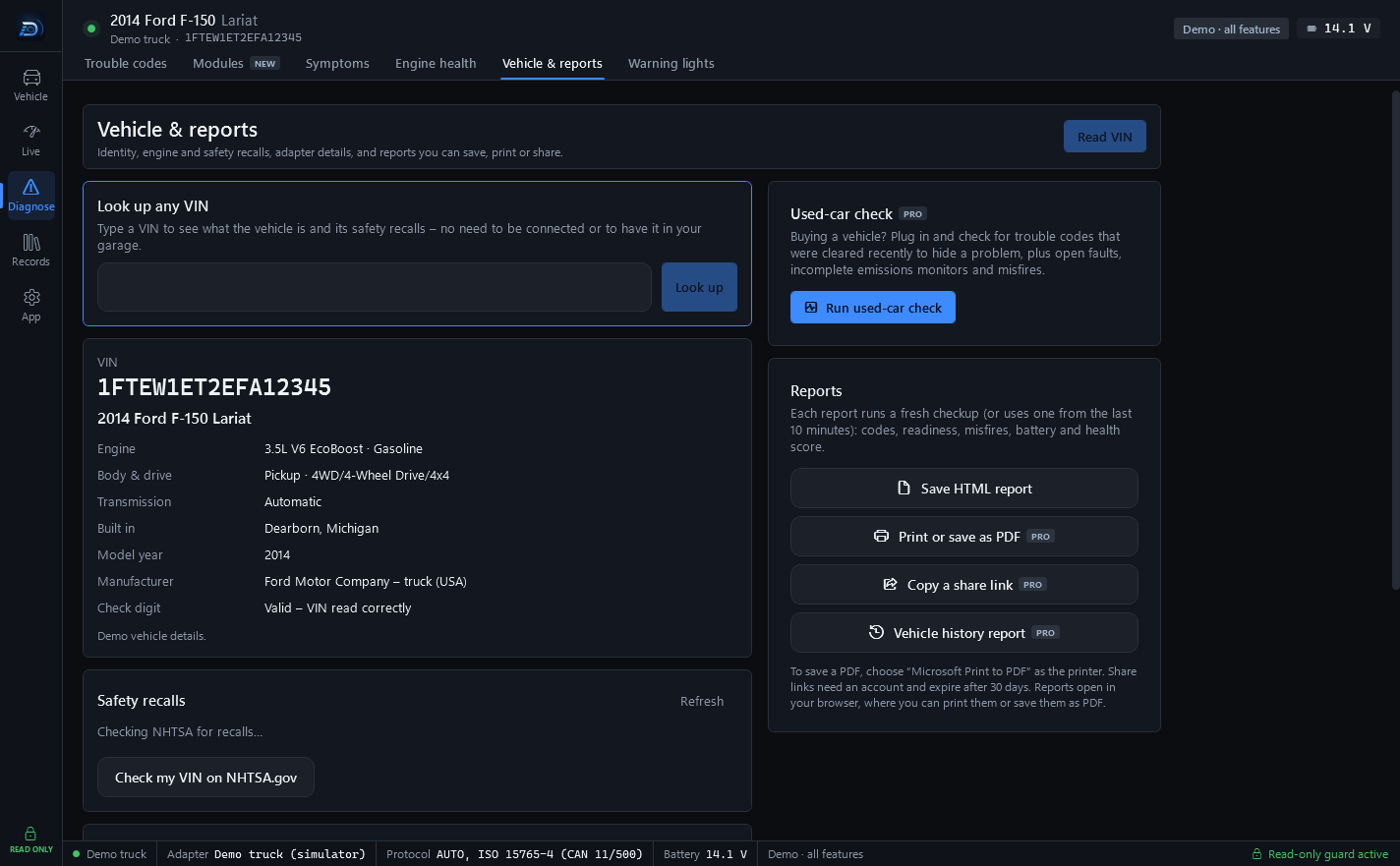
Reports live on the Vehicle & reports page and on every saved checkup in the Garage. Each report runs a fresh checkup (or uses one from the last 10 minutes): codes, readiness, misfires, battery and health score.
The four buttons
- Save HTML report: free. Saves a file and opens it in your browser.
- Print or save as PDF: Pro. To save a PDF, choose "Microsoft Print to PDF" as the printer.
- Copy a share link: Pro. Needs an account. The link is copied to the clipboard and works for 30 days.
- Vehicle history report: Pro. Every saved checkup, maintenance item and recall for the vehicle selected in your garage.
Reports open in your browser, where you can print them or save them as PDF. The Garage has the same print and share icons on each saved checkup.
What is in a report
The vehicle (name, VIN, model year, mileage, battery at the OBD port), the health score, the trouble codes with their status and module, emissions readiness, misfire counts and any notes. On the Shop plan, the report also carries your shop's name and logo, the latest inspection, any estimate or invoice with the customer's signature, and your coupon.
Reports made from a saved checkup end with: Read-only OBD-II data. Code titles are generic SAE definitions; confirm any diagnosis with Ford service information. Not affiliated with Ford Motor Company.
How a share link works
The report is encrypted on your computer before it is uploaded. The key that opens it is part of the link, after the #, and browsers never send that part to a server. So Drive DTC stores a report it cannot read, and only someone you give the whole link to can open it. The viewer page says: Shared from the Drive DTC app. Reports are read-only snapshots for information only and expire automatically.
Note: If someone tells you a link has stopped working, it has most likely passed its 30 days. Copy a new one from the same checkup in the Garage.
Last updated
Was this helpful?