 Drive DTC
VIN, safety recalls and owner complaints
Decode the VIN, see open recalls for the model, and what other owners have reported to NHTSA.
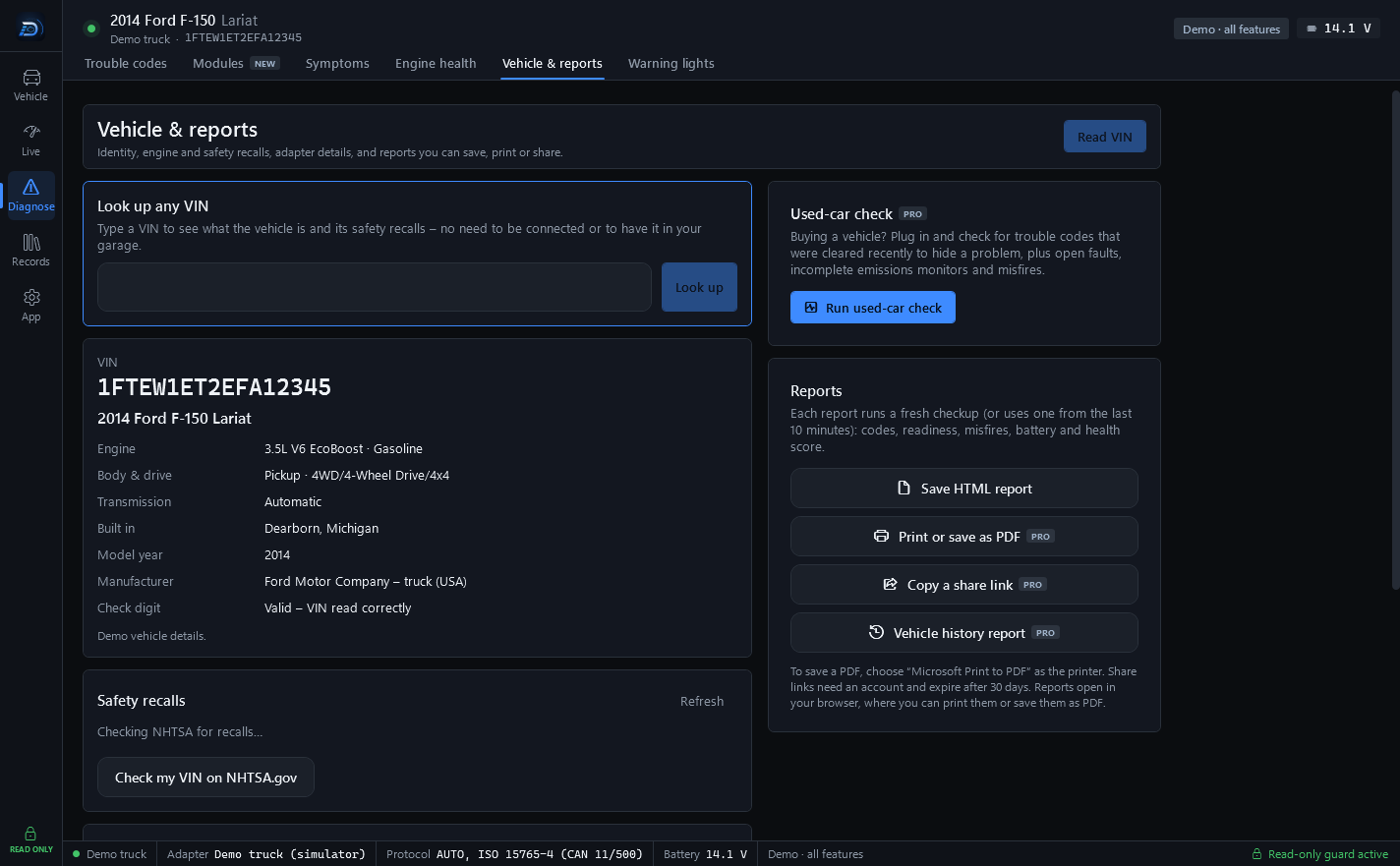
Vehicle & reports (Diagnose → Vehicle & reports) covers identity, engine and safety recalls, adapter details, and the reports you can save, print or share.
Read the connected vehicle
Press Read VIN. Drive DTC decodes the VIN, checks its check digit, and looks up the make, model, engine, body and drive, transmission, manufacturer and assembly plant from NHTSA. It also lists which live data and misfire monitors this vehicle reports.
Look up any VIN
Under Look up any VIN, type a VIN and press Look up to see what the vehicle is and its safety recalls, with no need to be connected or to have it in your garage. From the result you can Add to garage, Open in garage, or run a Vehicle history report (Pro).
The website has the same free check at VIN check and recalls.
Safety recalls
Recalls come from NHTSA for the model. A recall that NHTSA advises not driving until it is repaired is flagged in red. Press Refresh to check again, or Check my VIN on NHTSA.gov to see whether your exact vehicle is affected.
Note: Not every vehicle of this model is affected, and many are already repaired. Check the VIN at nhtsa.gov/recalls or with a dealer.
Known issues and owner complaints
Known issues, before they're official shows which parts owners of this model are reporting now and whether the trend is speeding up, with an Open NHTSA's page for this vehicle button. What other owners report comes from NHTSA's public complaints database, grouped by part. Owners report problems voluntarily, so a big number means a common complaint – not that this vehicle has it. Worth mentioning to a shop when a symptom matches.
Help map this vehicle
Press Ask my vehicle to run an owner-started scan that asks the vehicle which data IDs it answers. It is still read-only. The file holds the data ids that answered and the bytes they answered with, plus the last 6 characters of your VIN – nothing else about you. Email it to [email protected] only if you want to. It helps add readings for vehicles that have not been tried yet.
Last updated
Was this helpful?