 Drive DTC
About
About Drive DTC
Drive DTC is a Windows app that turns a USB OBD-II adapter into a plain-English scan tool for Ford, Lincoln and Mercury vehicles. It reads what the vehicle says and explains it. Read-only by design.
What it is
A scan tool that talks like a person
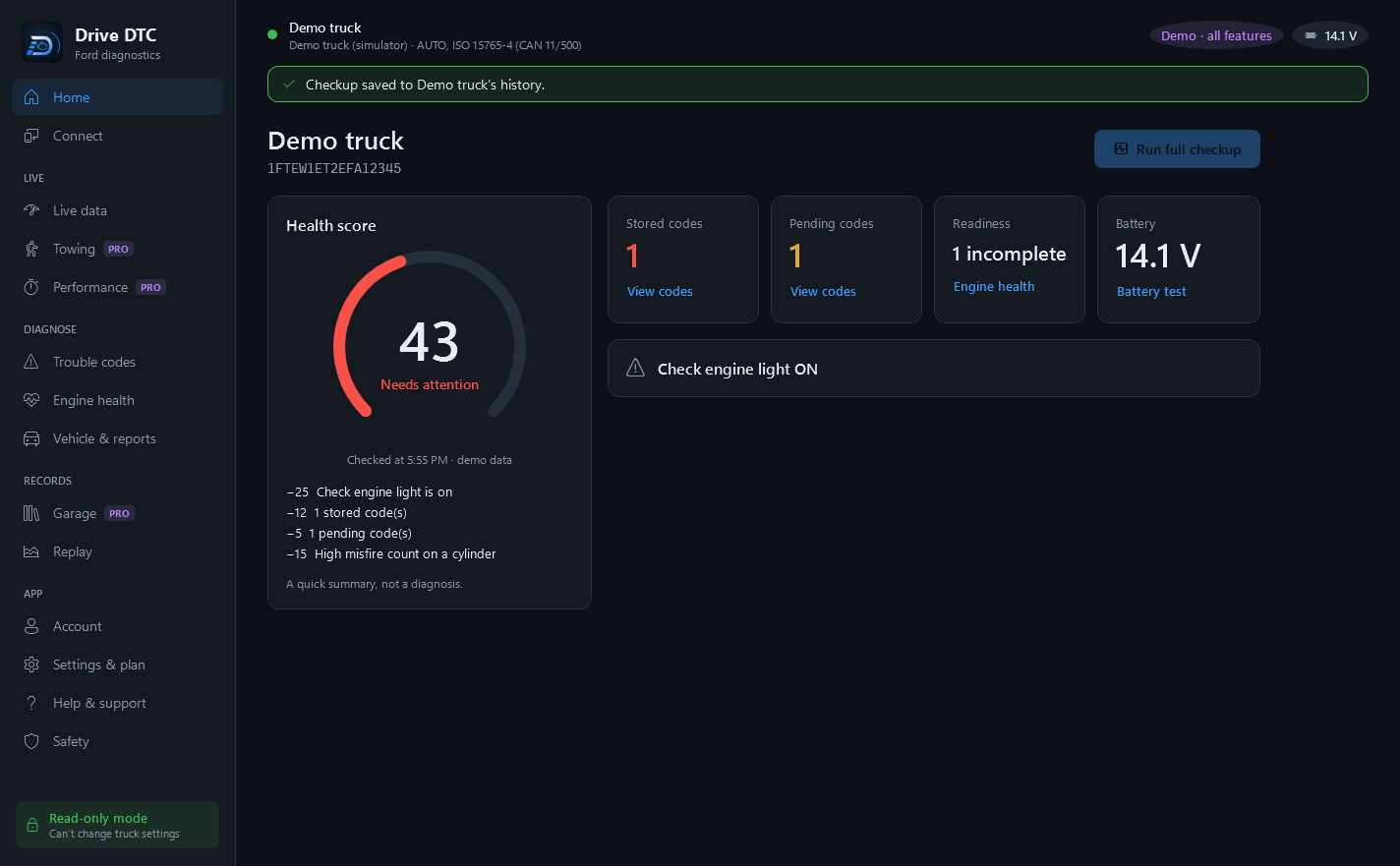
Drive DTC runs on a Windows 10 or 11 PC and talks to the vehicle through an ELM327-compatible adapter it finds by itself. It reads trouble codes and explains what they mean, shows live data for 35+ values, checks engine health, looks up recalls from NHTSA and keeps a history of every checkup.
- Free to start
- One-time purchases, no subscription
- Windows 10 & 11, from the Microsoft Store
Why it exists
Built around one truck, to read and never to write
Drive DTC started out built around a Ford F-150 3.5L EcoBoost, as a tool for reading everything the truck had to say without the ability to change any of it.
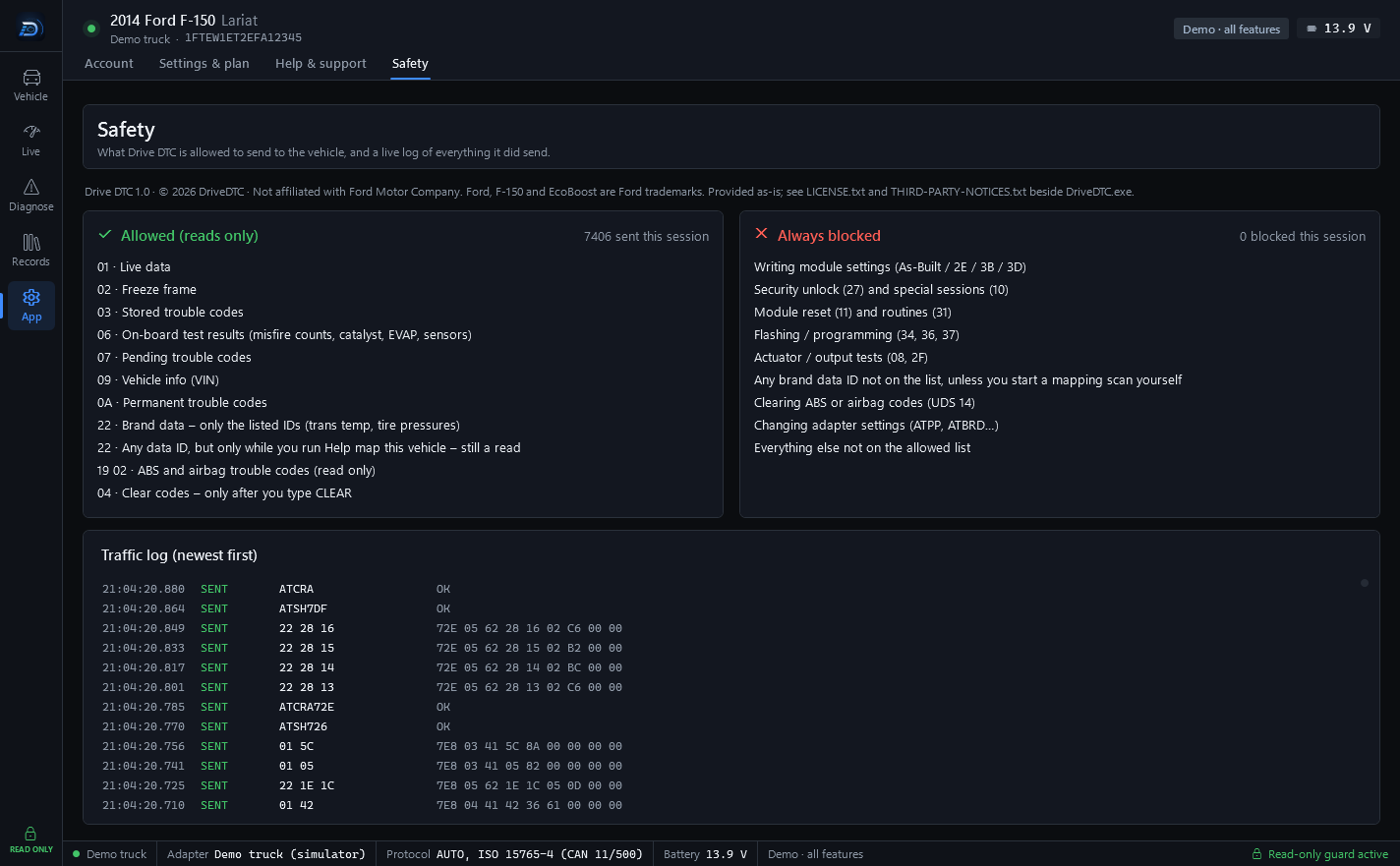
That constraint is written into the code rather than into a setting. Every message to the vehicle passes one guard that refuses anything that isn't a read, and nothing received from the internet can add to its list. The Safety page in the app shows what is allowed, what is always blocked, and a live log of everything the app sent and the vehicle answered.
Everything since – the codes explained in plain English, the 0–100 health score, the garage, the reports and the shop features – was built on top of that same read-only core. The one action that changes anything is clearing trouble codes, and you have to type CLEAR to confirm.
Principles
Four things that don't change
Read-only by design
Every message to your vehicle passes a built-in safety guard. Anything that isn't a read is refused in the code – there's no hidden setting to turn it on. No programming, no module configuration, no unlocks, no resets, no actuator tests.
Plain English
A trouble code comes with what it means, what usually causes it, what to check first and what the repair typically costs. A checkup ends in a 0–100 score and a verdict. A quick summary, not a diagnosis – and code titles are generic SAE definitions, so confirm any diagnosis with Ford service information.
Your data stays on your PC unless you sync
Your vehicle data stays on your computer unless you choose to use cloud features such as sync or share links. Cloud copies are encrypted on your PC before upload. We never store a whole VIN. We don't sell your personal information, show ads, or use third-party advertising or analytics trackers. The app doesn't collect your location.
One-time purchases
Free to start. Pro, Shop and brand packs are one-time purchases through the Microsoft Store – no subscription. The demo vehicle unlocks every feature so you can try it before you buy, and the price is shown in the Microsoft Store.
What it is not
Said plainly
Four lines that keep the rest of this site honest.
- Not a programming toolDrive DTC cannot change module settings, program or flash modules, run actuator tests or clear ABS and airbag codes. If you need that, you need a different tool – the comparison with FORScan says where Drive DTC loses.
- Not a substitute for a technicianThe Services are provided for general informational purposes only. They are not a substitute for inspection, diagnosis or repair by a qualified technician, for official manufacturer service information, or for a safety or emissions inspection.
- Not affiliated with Ford or FORScanDrive DTC and its logo are trademarks of DriveDTC. Ford, Lincoln, Mercury, F-150 and EcoBoost are trademarks of Ford Motor Company, and FORScan is a trademark of its owner. Drive DTC is not affiliated with, endorsed by or sponsored by Ford Motor Company, the makers of FORScan, or any adapter manufacturer. These names are used only to describe compatibility.
- Not a phone appWindows only. No phone app, no Mac. A browser is used for what the app shares – report links and estimates – and for the free tools on this site.
How to reach us
A person answers
Signed in? Open a ticket from Help & support in the app, or from My tickets on this site. Replies show up in both places.