 Drive DTC
For drivers · Ford, Lincoln & Mercury · 1996 and newer
Know what the light means. In plain English, on your own PC.
Plug a USB OBD-II adapter into your Ford, Lincoln or Mercury and into a Windows PC. One press reads the trouble codes, explains them, scores the vehicle's health from 0 to 100 and gives a drive or don't-drive verdict. Drive DTC reads. It cannot change a single setting on your vehicle.

- Free to start
- Finds your adapter by itself
- Read-only by design
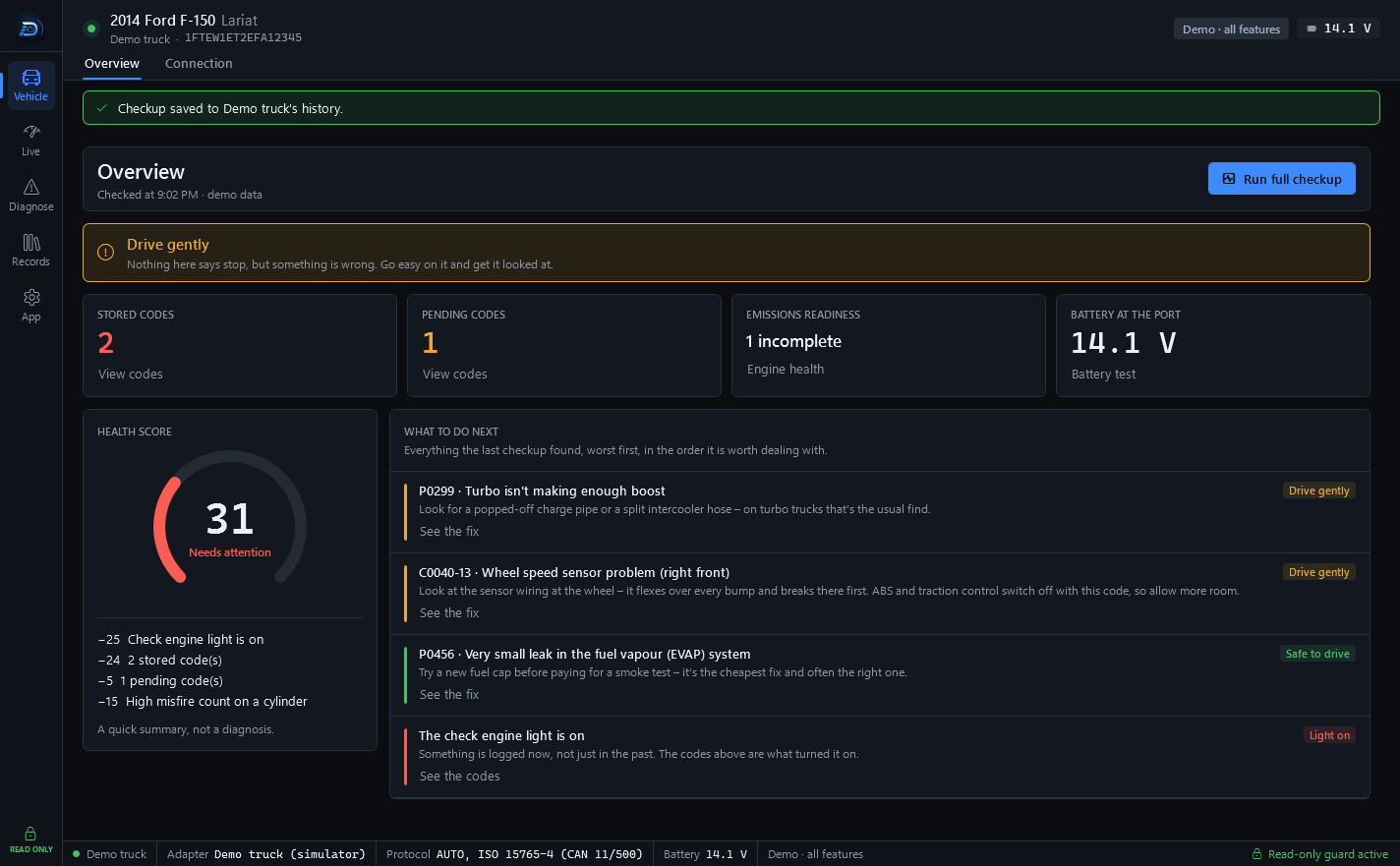
Your own vehicle
What you can do with it
Reading your own vehicle is free: codes, live data, health, recalls and an HTML report. Pro adds the parts that need a memory – history, before-and-after, PDF reports and share links – as a one-time purchase.
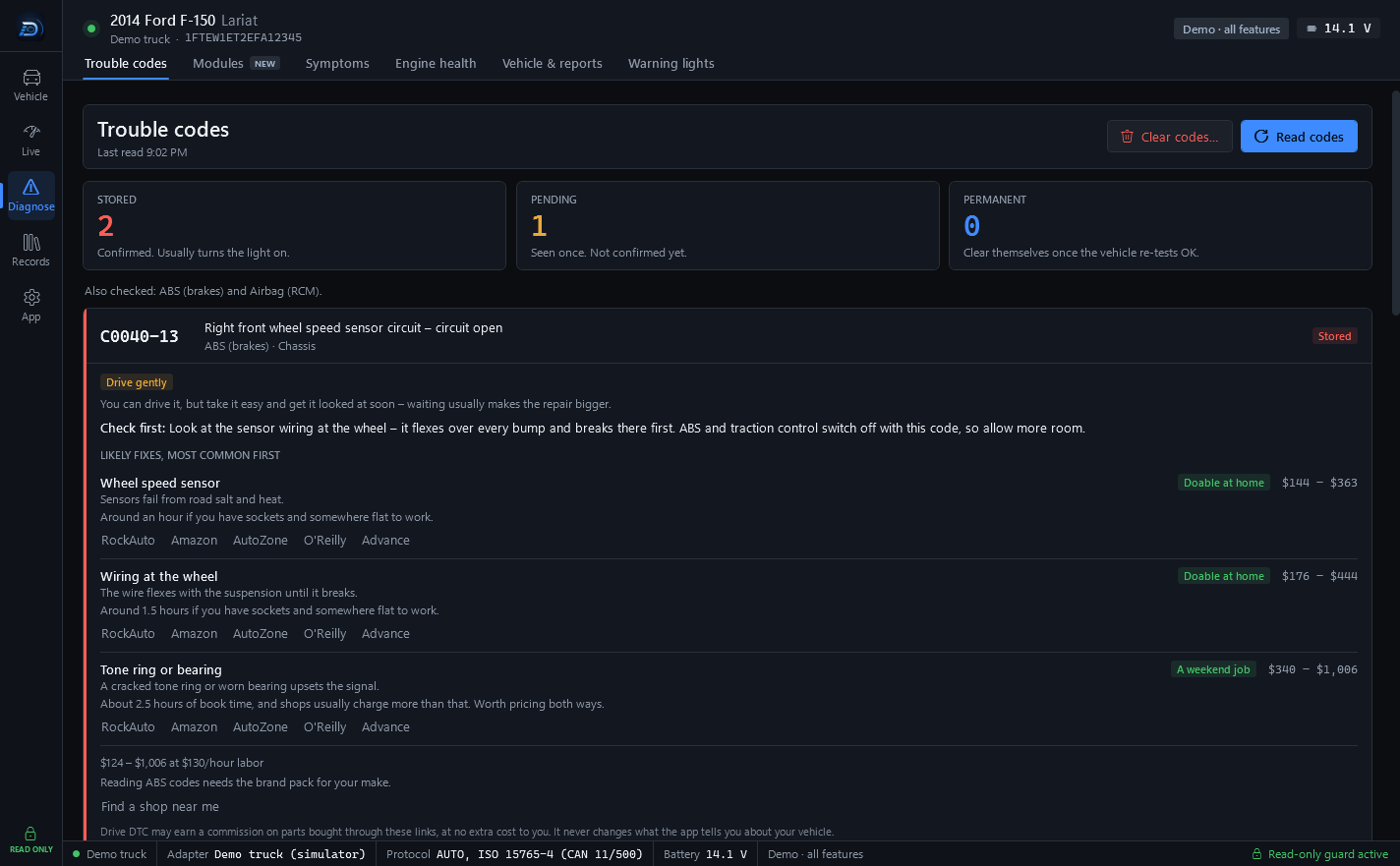
Trouble codes Free
The check engine light, explained
Every code is translated into plain English: what it means, whether you can keep driving, what to check first, and the likely fixes with the most common first – each with a typical cost range, so you can judge a quote.
- Stored, pending and permanent codes, with the freeze frame from the moment a code set.
- Doable at home or a weekend job. Each fix says how long it takes and what it needs.
- Clearing engine codes asks you to type CLEAR first. ABS and airbag codes are never cleared.
Costs are typical US ranges for parts plus labour at your hourly rate: a guide for judging a quote, not a quote.
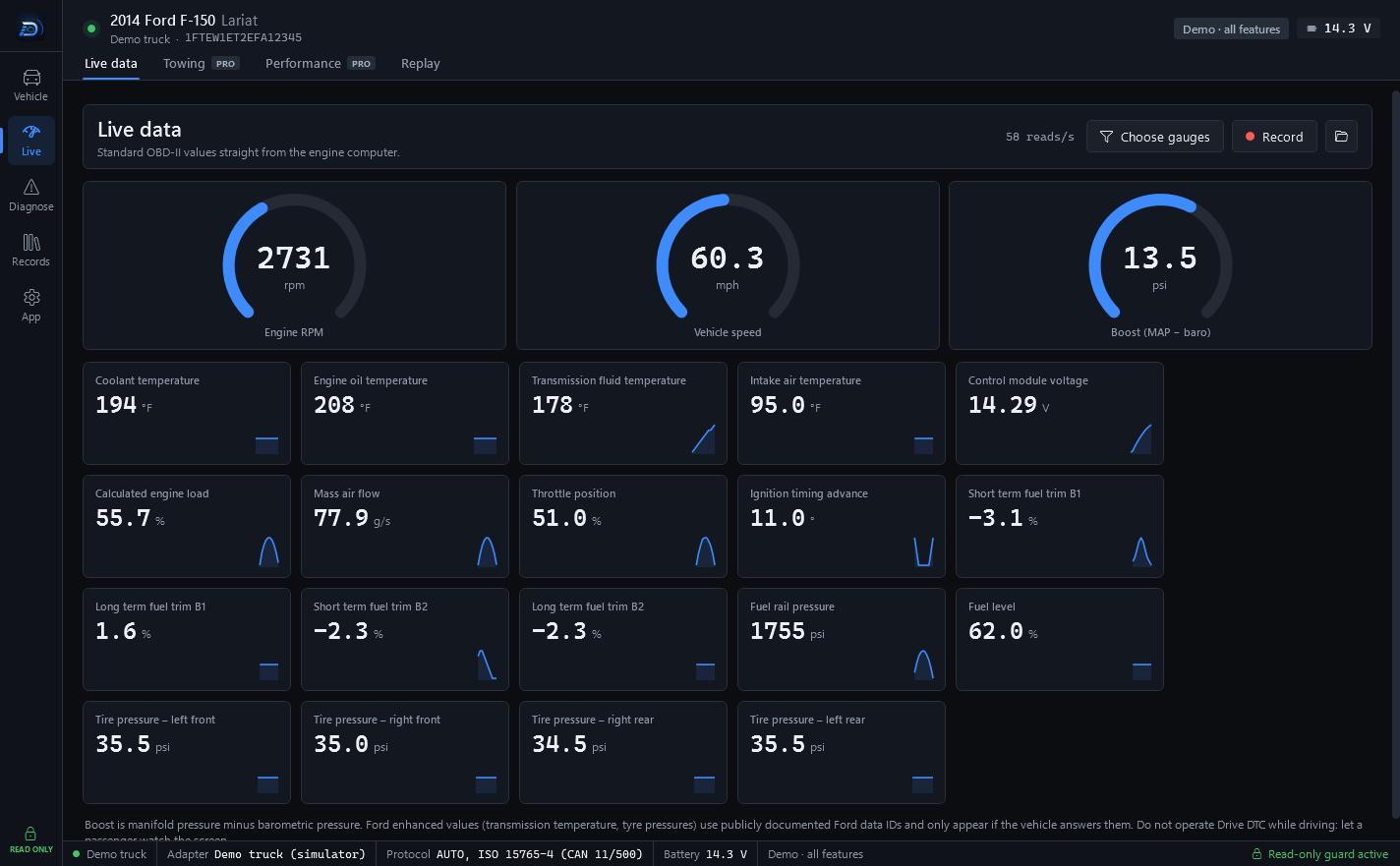
Live data Free
Watch the engine work
RPM, speed and boost on gauges, and 35+ values from the engine computer in tiles – coolant and oil temperature, fuel trims, fuel rail pressure, throttle position, each with a small trace of where it has been.
- Choose the gauges you want to watch.
- Record a drive to a CSV file and replay it as charts afterwards.
- Standard OBD-II values, straight from the engine computer.
Never use the app while driving. Only use it while the vehicle is safely parked, or have a passenger use it.
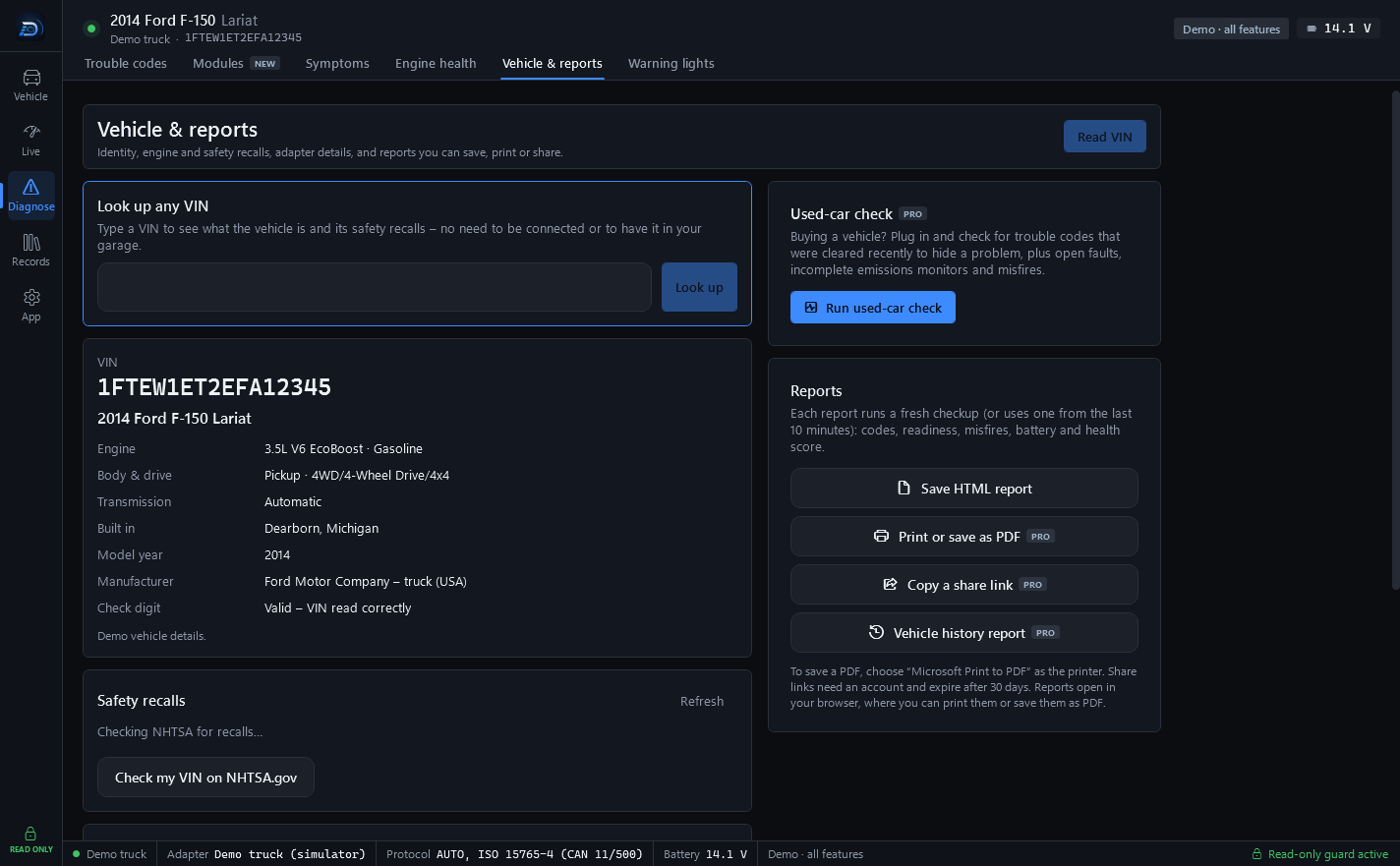
Vehicle Free
Recalls and complaints for your model
Drive DTC reads the VIN and shows exactly what the vehicle is – model, trim, engine, where it was built – then checks NHTSA's public database for safety recalls on that model and what other owners have complained about, grouped by part.
- Look up any VIN, connected or not – no need to have it in your garage.
- Recalls with a Don't drive flag when NHTSA says to park it.
- Which repairs the maker or federal law has to pay for, in plain words.
Not every vehicle of this model is affected, and many are already repaired. Check the VIN at nhtsa.gov/recalls or with a dealer.
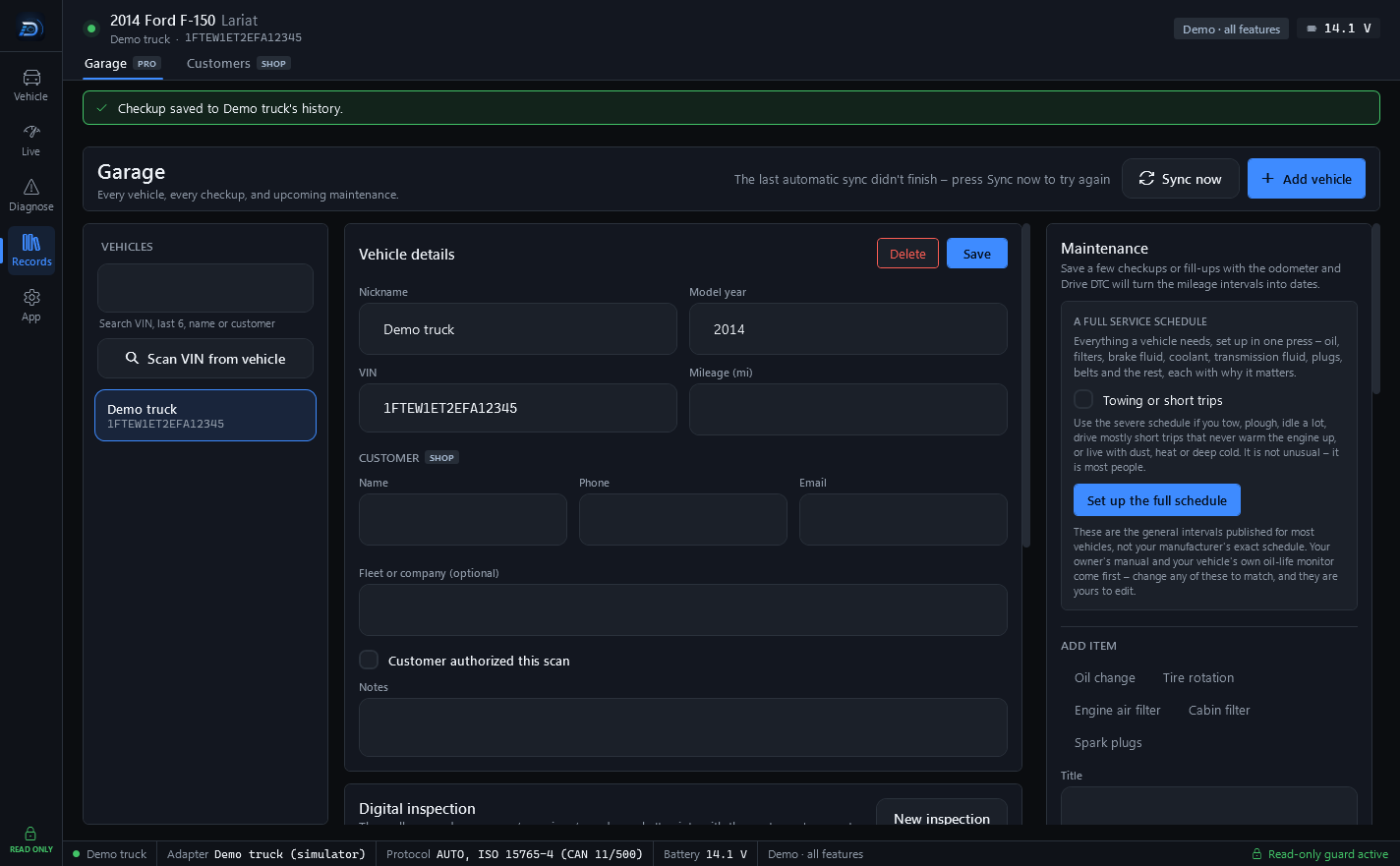
Garage Pro
Every checkup, kept
Each checkup is saved to the vehicle it came from, so the next one has something to compare with. Put the checkup before a repair next to the one after it and see what changed.
- Before and after. Compare the checkup before a repair with the one after it.
- Maintenance from your own mileage. Save a few checkups or fill-ups with the odometer and Drive DTC turns the mileage intervals into dates.
- A fuel log, photos and receipts on each vehicle.
- Sync between your computers. Everything is encrypted on your PC before it leaves.
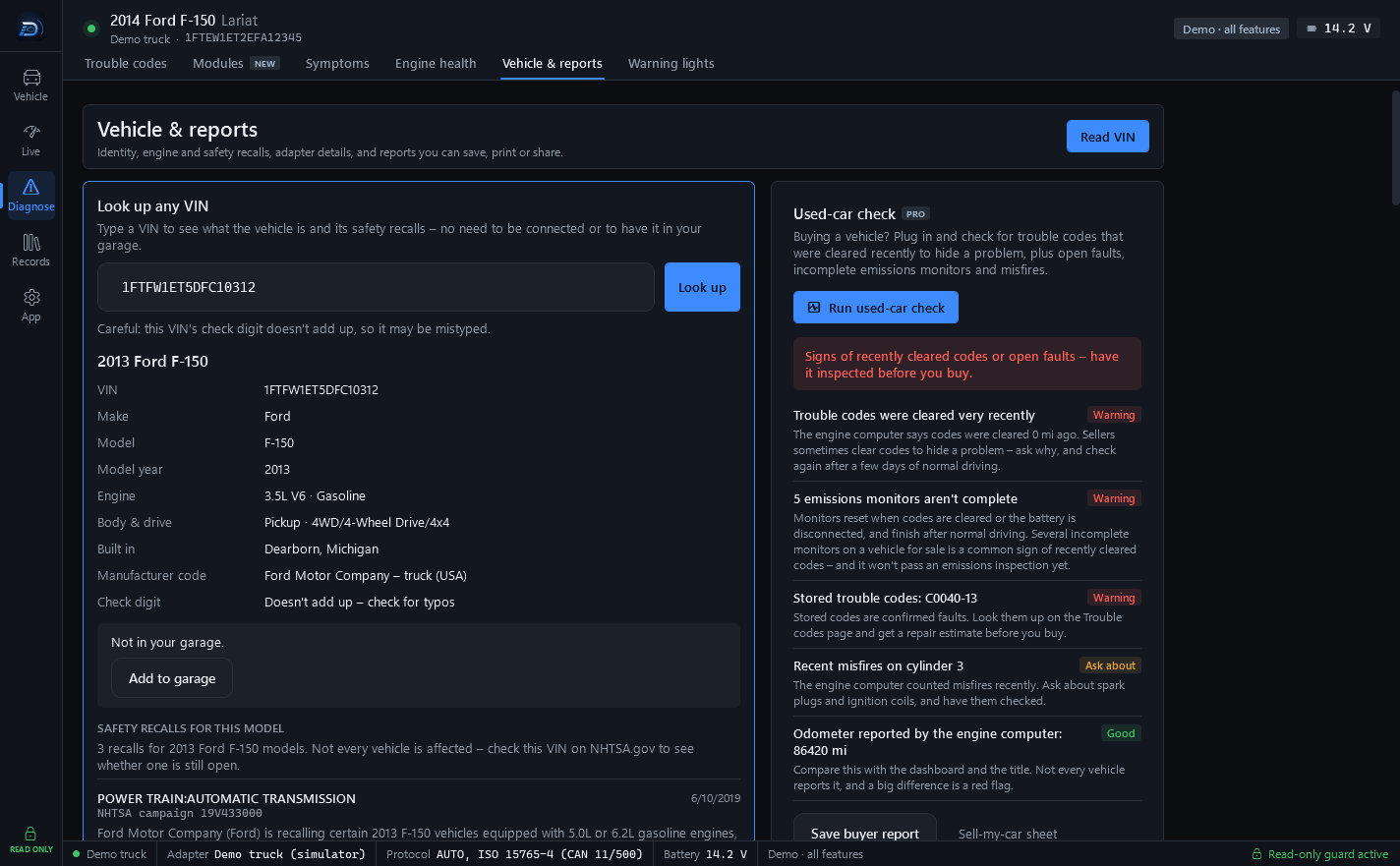
Used-car check Pro
Before you buy a used one
Plug into a vehicle you're thinking of buying. The used-car check looks for the signs of codes cleared to hide a problem – how far it has been driven since a clear, emissions monitors that haven't finished – plus open faults, recent misfires, and the odometer the engine computer reports, to compare with the dash and the title.
- Findings marked Warning, Ask about or Good, each with what to ask or check.
- Safety recalls for the model, from NHTSA.
- A buyer report to save and take with you.
Only scan vehicles you own or have the owner's permission to scan.
Reports Free · Pro
A report you can print or share
Every checkup can become a report your mechanic or your buyer opens in any browser: the vehicle, the health score, trouble codes, readiness, misfire counts and your notes. Free saves it as HTML. Pro adds print or save as PDF, a share link, and a vehicle history report.
- HTML report from any checkup, on Free.
- Print or save as PDF from your browser. Pro
- A share link that works for 30 days, sealed on your computer before it is sent. Pro
- A vehicle history report with every checkup and the maintenance on record. Pro
From a shop
Also: what a shop can send you
You don't need Drive DTC to receive these. A shop that uses it can send you two kinds of link, and both open on your phone.
- Opens in any browser
- Nothing to install
- No account to make
A shared vehicle report
A shop – or anyone with Pro – can send you a link to a checkup. It opens as a read-only snapshot: the vehicle, its health score, trouble codes, emissions readiness, misfire counts and any notes, with the shop's name and contact details at the top when a shop sent it.
The report is sealed on the sender's computer and the key travels after the # in the link – a part of the address browsers never send to a server. Links work for 30 days.
Reports are read-only snapshots for information only and expire automatically.
An estimate to approve
A shop using Drive DTC Shop can send you an estimate before doing the work. You see the shop's name and contact details, the vehicle, each line of work with its quantity and amount, parts and labor, tax and the total – plus any notes, and a coupon if the shop added one.
Type your name, add a question if you have one, and press Approve this work or Not yet – I have a question. Your answer goes straight back to the shop, with the time you gave it.
This is an estimate based on what's known now. If more work turns out to be needed, the shop will ask before doing it.
What you need
Three things – or none, to try it
A USB adapter, a Windows PC and a Ford, Lincoln or Mercury with an OBD-II port. To try Drive DTC, none of them.
A USB OBD-II adapter
A USB ELM327-compatible OBD-II adapter – for example the OHP ELMconfig (set its switch to HS-CAN), OBDLink SX or vLinker FS USB. Drive DTC finds the adapter's COM port by itself. Bluetooth adapters that show up as a COM port can work, but USB is faster and more reliable.
A Windows 10 or 11 PC
Drive DTC is a desktop app from the Microsoft Store. The adapter's cable runs from the port under the dash to a USB port on the PC.
Windows only. No phone app, no Mac.
A 1996 or newer Ford, Lincoln or Mercury
Every 1996-or-newer Ford, Lincoln and Mercury sold in the U.S. has OBD-II. 2008 and newer models (CAN) get every feature, including misfire counts per cylinder; older models get trouble codes, live data, freeze frame and readiness.
The demo vehicle needs nothing. On the Connect screen, press Start demo: a built-in simulator stands in for a vehicle and unlocks every feature, so you can see how Drive DTC works before you buy an adapter. Plan features unlocked with the demo vehicle are for evaluation only.
Your vehicle and your data
What it never changes, and what stays on your computer
Read-only is enforced in the code. Cloud features are off until you turn them on.
Read-only by design
Every message to your vehicle passes a built-in safety guard. Anything that isn't a read is refused in the code – there's no hidden setting to turn it on.
- Reads stored, pending and permanent trouble codes, and the freeze frame that came with them.
- Reads live data, readiness monitors, misfire counters, battery voltage and the VIN.
- Never changes module settings, or programs, flashes or updates a module.
- Never runs security unlocks, resets, special sessions or actuator tests.
The one action that changes anything is clearing trouble codes, and you have to type CLEAR to confirm. Every message is shown in the app's safety log.
Your data
- Your vehicle data stays on your computer unless you choose to use cloud features such as sync or share links.
- If you do use them, everything is encrypted on your computer first. We hold a locked copy we can't open – not your VIN, not your customers, not your history.
- We never store a whole VIN. Vehicle confirmations and license records keep a one-way fingerprint and the last 6 characters instead.
- We don't sell your personal information, show ads, or use third-party advertising or analytics trackers.
- The app doesn't collect your location.
- You can delete your cloud data in the app at any time.
Plans
Free to start. Upgrade once.
Free reads your own vehicle. Pro keeps the history and adds PDF reports and share links. Shop is for repair shops and dealers. Pro, Shop and brand packs are one-time purchases through the Microsoft Store – no subscription.
Free
Everything you need to diagnose
$0
Free account or license code
- Health checkup & score
- Engine trouble codes on any brand
- Freeze frame & clearing engine codes
- Live data, recording & replay
- Readiness & misfire counts
- Vehicle details & recalls
- HTML reports
- Demo vehicle with every feature
Pro
History, reports and sync for your own vehicles
One-time
Price shown in the Microsoft Store
- Everything in Free
- Towing screen & custom alerts
- Performance timers & fuel economy
- Garage, history & before/after compare
- Battery & charging test
- PDF reports
- Cloud sync & share links
Shop
For repair shops and dealers
One-time
Price shown in the Microsoft Store
- Everything in Pro
- Every brand pack included
- Customer details on each vehicle
- Reports branded with your shop
Start with the demo vehicle. Then plug in.
Free to start, read-only by design, and made for people who drive a Ford, Lincoln or Mercury.