 Drive DTC
Features
Every feature, and the plan it comes with
Grouped the way the app is. Free covers the diagnostics, Pro adds history, reports and sync, and Shop adds the customer side. All of it is read-only by design.
- FreeEverything you need to diagnose
- ProHistory, reports and sync for your own vehicles · one-time
- ShopFor repair shops and dealers · one-time
- Ford packABS and airbag codes, transmission temperature and tire pressures · coming soon
Vehicle
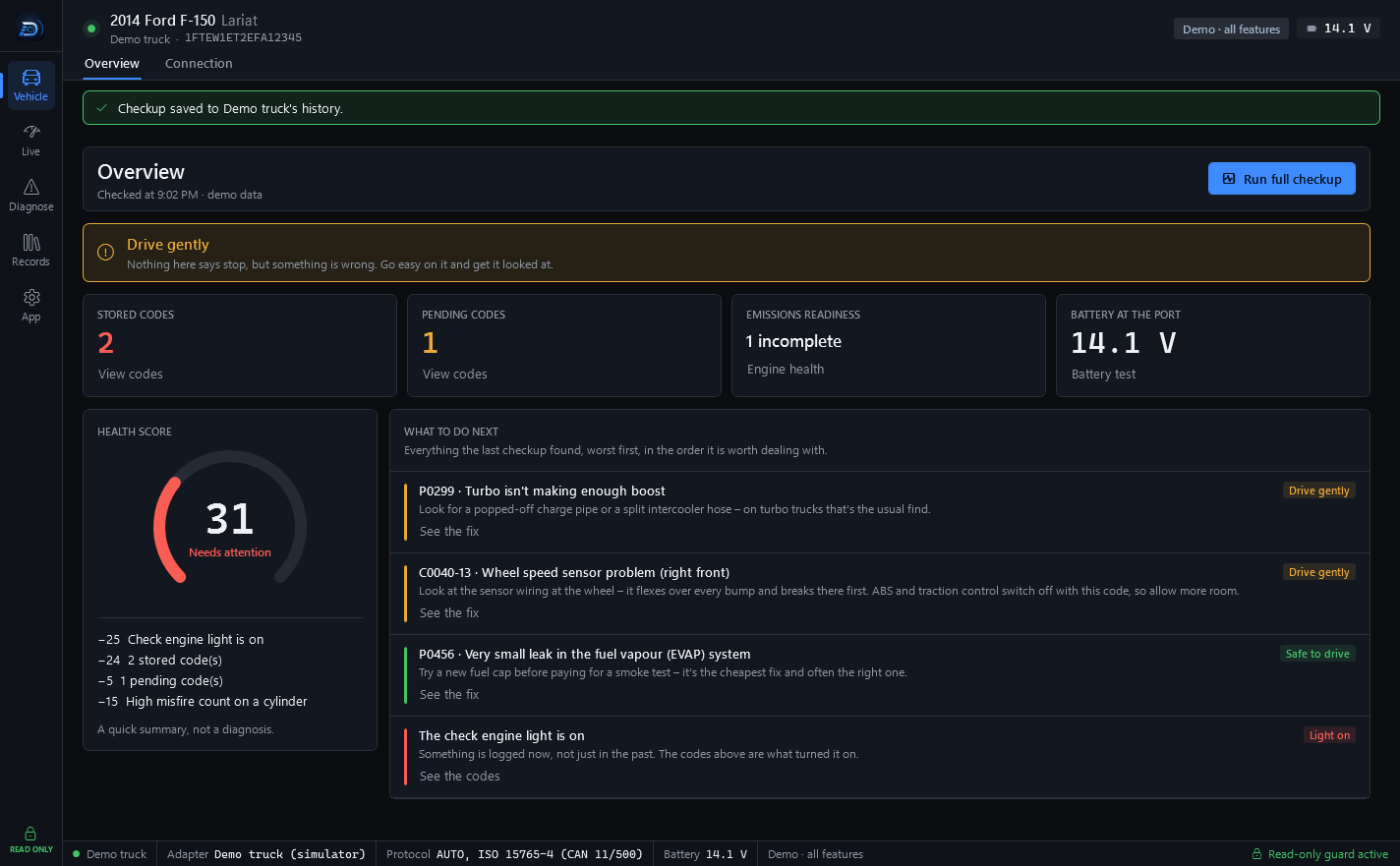
Start here: one button, one answer
Connect the adapter, run a full checkup, and read a verdict for the whole vehicle with the reasons behind it.
In the appOverview · Connection
-
Full checkup
Codes, readiness monitors, misfire counts for every cylinder and battery voltage in about ten seconds, summed up in a 0–100 health score. A quick summary, not a diagnosis.
Free -
Verdict and next steps
One answer for the whole vehicle at the top of Home – don't drive it, get it seen soon, drive gently, or nothing says stop – with the reasons it is based on and what to deal with first.
Free -
Connect
Finds the adapter's COM port and baud rate by itself and connects the moment you plug it in. Pick the port by hand if you prefer.
Free -
Demo vehicle
A built-in simulator with every feature turned on, so you can try the whole app with nothing plugged in. Features it unlocks are for evaluation only.
Free
Live
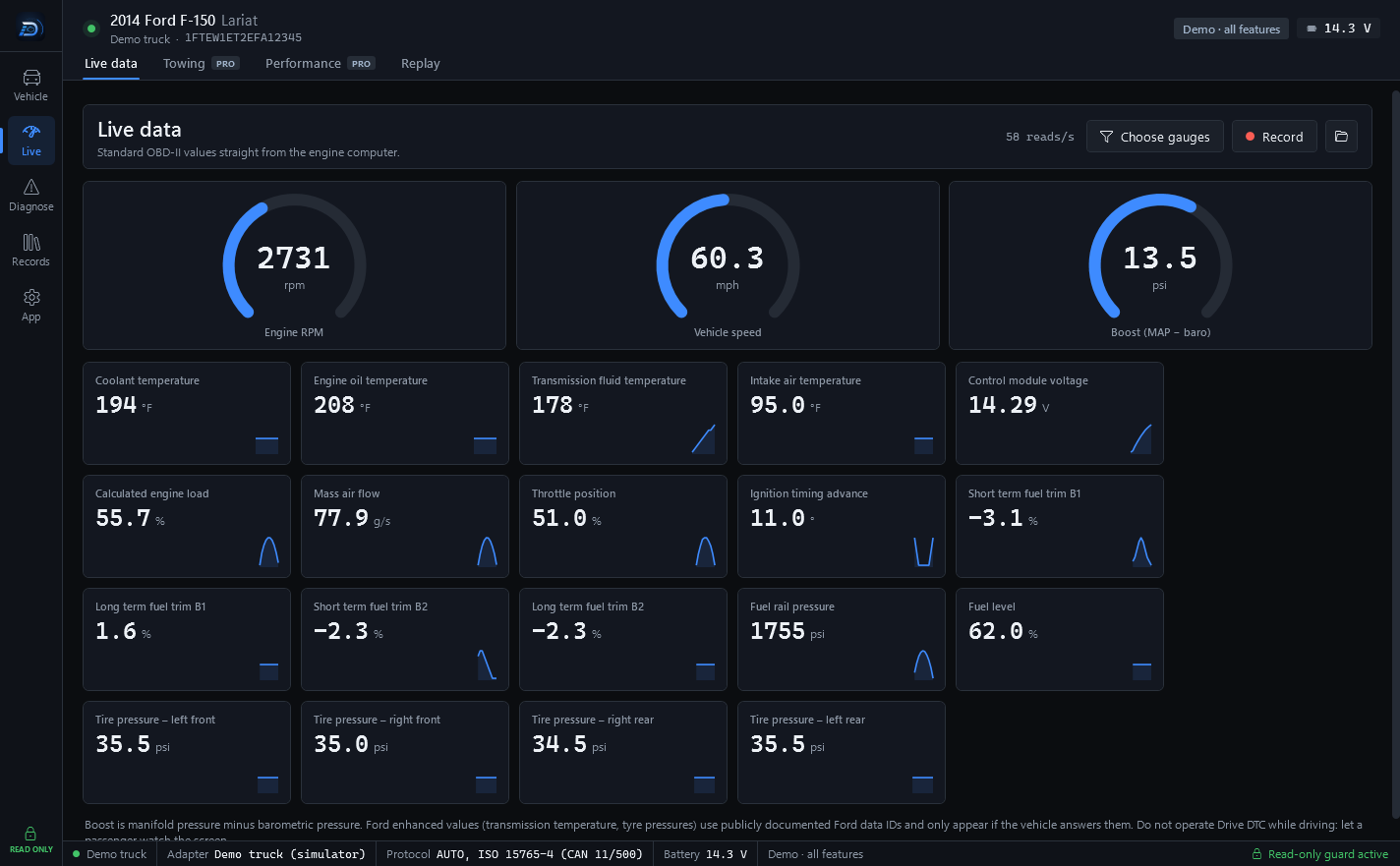
Live values, straight from the engine computer
Gauges for RPM, speed and boost, tiles for everything else, and a recording you can replay later.
In the appLive data · Towing · Performance · Replay
-
Live data
RPM, speed and boost gauges above tiles for 35+ values – coolant, oil and intake temperatures, fuel trims, fuel rail pressure, throttle, timing and more – each with a small trace. Choose which gauges you see.
Free -
Recording and replay
Record a drive to a CSV file and chart it later on the Replay screen.
Free -
Ford transmission temperature and tire pressures
Transmission fluid temperature and all four tire pressures, read with publicly documented Ford data IDs. They only appear when the vehicle answers.
Ford packComing soon
Included with Shop -
Towing screen
Large tiles for transmission, coolant and oil temperatures, boost, voltage, tire pressures and live fuel economy, with borders that turn yellow or red at your alert limits.
Pro -
Custom alerts
Set your own limit on a live value and get a warning, with an optional sound, when it is crossed.
Pro -
Performance timers and fuel economy
0–60, 30–70 and quarter-mile timers plus live and trip fuel economy. Timer results and fuel economy are estimates.
Pro
Diagnose
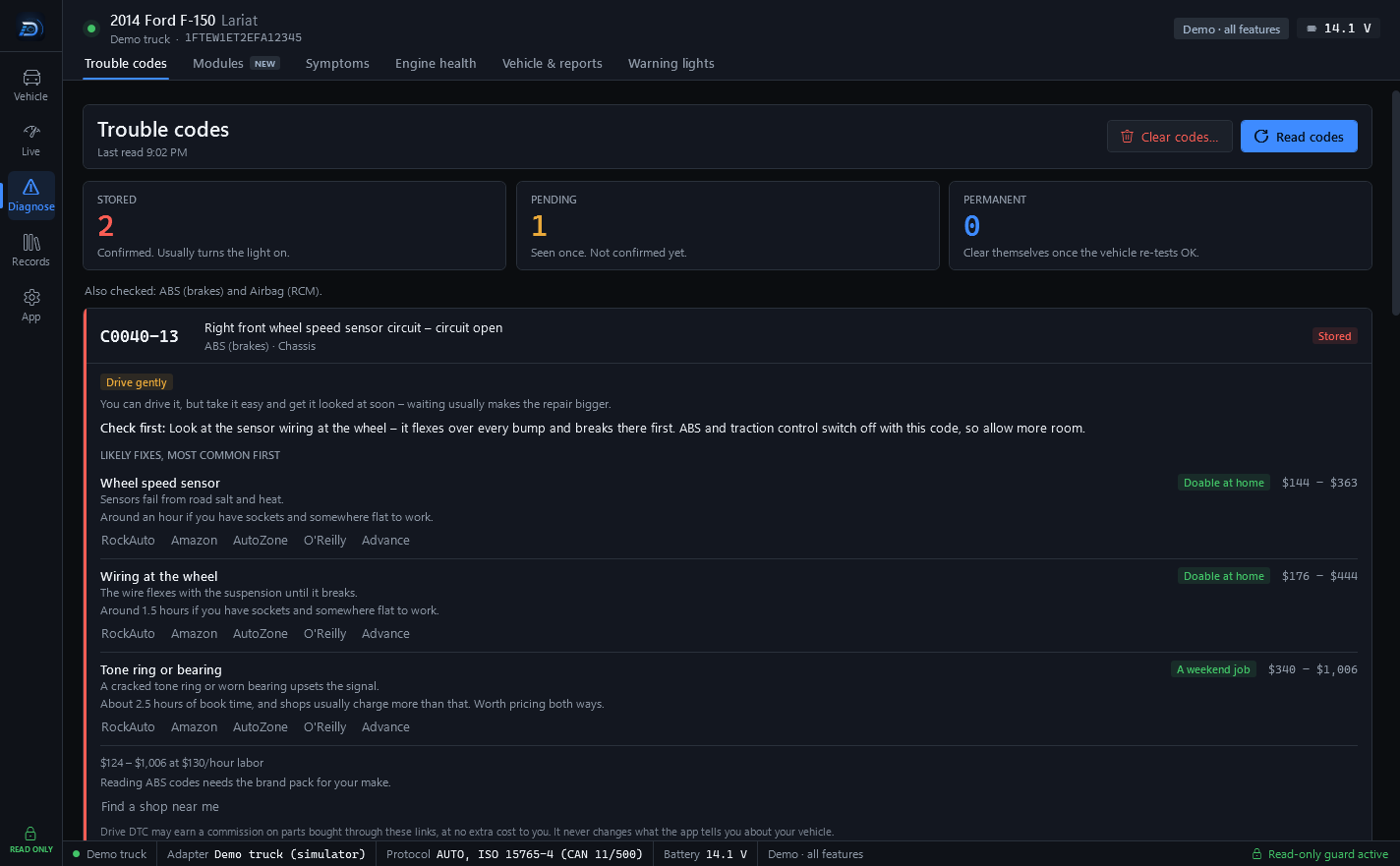
From the code to what to check first
Trouble codes in plain English, a scan of every module, the engine's own test results, and two screens that work with nothing plugged in.
In the appTrouble codes · Modules · Symptoms · Engine health · Vehicle & reports · Warning lights
-
Trouble codes in plain English
Stored, pending and permanent codes with freeze-frame data from the moment they set, what to check first, likely fixes in order and typical cost ranges at your labor rate. A guide for judging a quote, not a quote.
Free -
Clearing engine codes
Type CLEAR to confirm. Drive DTC checks speed and RPM first, clears only engine and transmission codes, and never touches ABS or airbag codes.
Free -
ABS and airbag codes
Read-only codes from the ABS and restraints modules, shown next to the engine codes. For reference only – the app never clears them.
Ford packComing soon
Included with Shop -
Modules scan New
A network scan of every module on the bus: what each one says about itself and which codes it holds, with the full status bits. Read-only, like everything else.
Free -
Symptoms
Start from what the vehicle is doing rather than from a code. It walks through the readings a mechanic would take, in the order that rules things out fastest.
Free -
Engine health
Readiness monitors with drive-cycle hints, misfire counts per cylinder, self-test results that show how close the catalyst, oxygen sensors and EVAP system are to their limits, and fuel trims read the way a mechanic would.
Free -
Battery and charging test
Grades the resting, cranking and charging voltage at the OBD port. The grades are estimates.
Pro -
Vehicle details and recalls
VIN decode with check digit; make, model and engine from NHTSA; safety recalls for the model; owner complaints grouped by part; and which repairs the maker or federal law has to pay for.
Free -
HTML report
Every checkup can become a report that opens in any browser: vehicle, health score, codes, readiness and misfires.
Free -
PDF and print
Save any report as a PDF or print it.
Pro -
Used-car check and buyer report
Signs of cleared codes, the odometer from the engine computer, findings sorted into warning, ask about and good, plus recalls. A seller's sheet adds a QR code a buyer can scan.
Pro -
Warning lights
What the symbol on the dash means and what to do about it, with nothing plugged in.
Free
Records
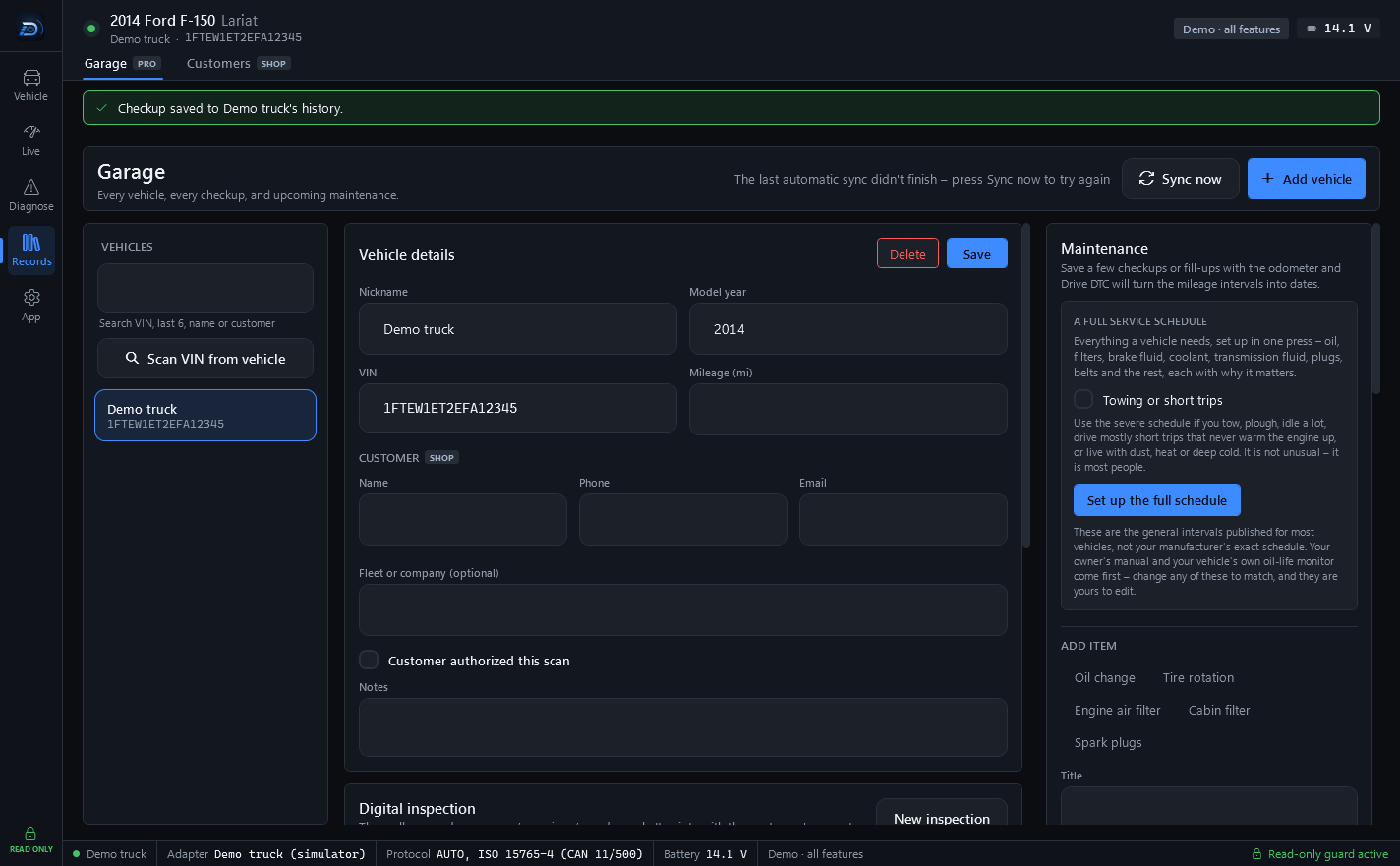
Keep what the vehicle said
The Garage saves every checkup per vehicle so the next one has something to compare with – and syncs it between your computers.
In the appGarage
-
Garage and history
Every vehicle you scan, every checkup saved with its score, mileage, codes and battery, and your notes on each. Find a vehicle by VIN, the last six, its name or its customer.
Pro -
Before and after compare
Compare the checkup before a repair with the one after it.
Pro -
Maintenance
Save a few checkups or fill-ups with the odometer and Drive DTC turns mileage intervals into dates. A full service schedule can be set up in one press and edited to match your manual.
Pro -
Fuel log, warranty tracker and battery history
Fill-ups, warranty coverage and battery voltage over time, kept with each vehicle.
Pro -
Photos and receipts
Attach photos and receipts to a vehicle. They stay on your computer and are never uploaded.
Pro -
Inspections
A digital inspection by area – good, attention or urgent – with measurements and notes, kept with the vehicle.
Pro -
Work orders
Estimates and invoices with line items, tax and a signature, kept with the vehicle. Service stickers too.
Pro -
Vehicle history report
One report with the vehicle, its maintenance, every checkup on record, inspections and recalls for the model.
Pro -
Cloud sync
Your garage on the computers on your account, up to 3. It is encrypted on your PC before upload, and the recovery key is shown once.
Pro -
Share links
A read-only snapshot of a report that anyone can open in a browser. The key travels after the # in the link, and links work for 30 days.
Pro
Shop
Hand the customer a report that carries your name
Everything in Pro, plus the customer side of the job: who owns the vehicle, what the report looks like, and how an estimate gets approved.
In the appCustomers · Garage · Settings & plan
-
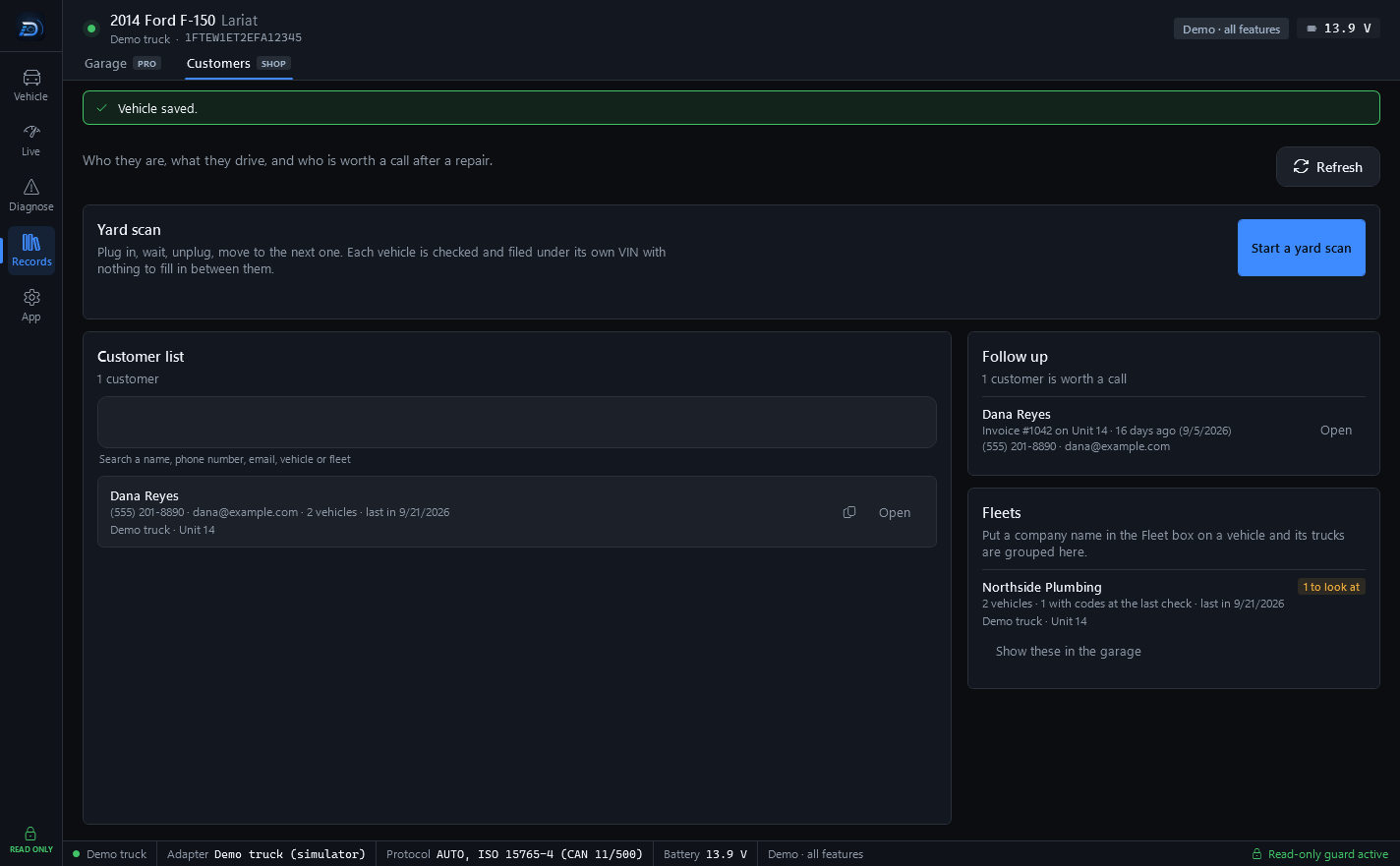
Customers page
A customer book searchable by name, phone, email, vehicle or fleet; fleets grouped by company; and who is worth a call after invoiced work.
Shop -
Yard scan
Plug in, wait, unplug, move to the next one. Each vehicle is checked and filed under its own VIN with nothing to fill in between them.
Shop -
Customer details on each vehicle
Name, phone, email, fleet or company, notes, and whether the customer authorized the scan.
Shop -
Reports branded with your shop
Your shop's name, phone, email, address and logo at the top of printed, PDF and shared reports.
Shop -
Customer coupon
An offer, a code and a good-through date printed at the end of reports and estimates. It disappears after the date.
Shop -
Email the customer their report
Send a saved checkup from the Garage. The customer gets a link that works for 30 days.
Shop -
Estimates a customer approves on their phone
The customer sees the work, the parts and labor total and the tax, then approves it or asks a question. Their answer comes back to the shop with the time they gave it.
Shop -
Inspection on the report
The latest digital inspection goes on the shared or printed report, with who checked it.
Shop -
Every brand pack included
Every brand pack, including the ones added later, is part of Shop.
Shop
App
Your account, your settings, and every message on record
A free account or a license code, one-time purchases in the Microsoft Store, and a live log of everything sent to the vehicle.
In the appAccount · Settings & plan · Help & support · Safety
-
Account
Sign in or create a free account – or enter a license code instead. See the computers on your account, sync now, unlock the cloud garage with your password or recovery key, and delete your cloud data or the account.
Free -
Settings and plan
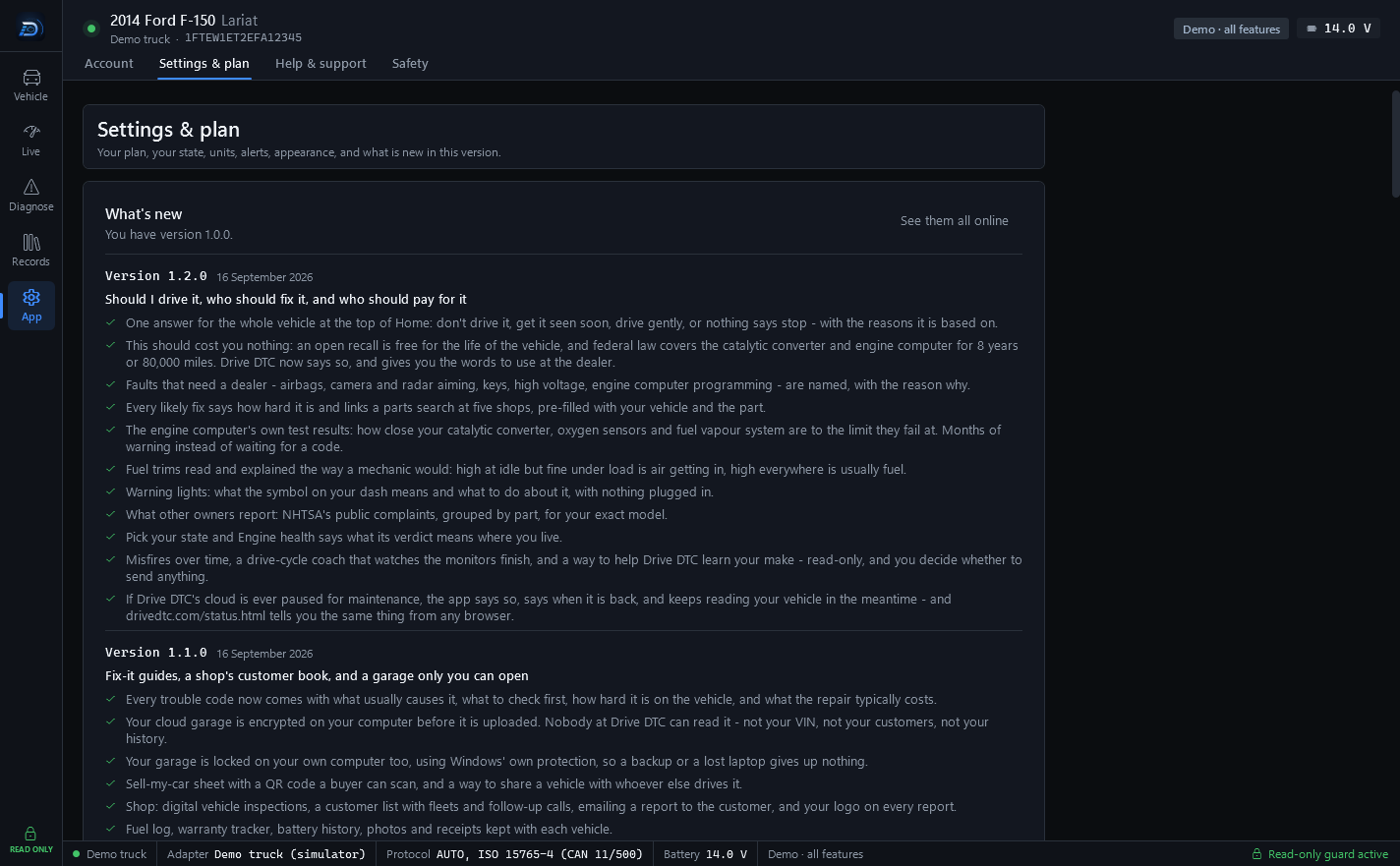
Your plan and Store purchases, US or metric units, dark and light themes, garage mode with bigger text and buttons, alerts, reminders, start with Windows, open when the adapter is plugged in, keyboard shortcuts and what's new.
Free -
Privacy choices
Anonymous crash reports and usage statistics are opt-in. The app doesn't collect your location.
Free -
Help and support
Send a message to support from inside the app, with diagnostics attached if you choose. Replies show up in the app.
Free -
Safety log
A live log of every adapter message, allowed or blocked, with the allowed and blocked service lists.
Free -
Motion lock
Screens that need reading or tapping lock while the vehicle is moving, unless a passenger confirms.
Free -
Works without the cloud
If Drive DTC's cloud is ever paused for maintenance, the app says so, says when it is back, and keeps reading your vehicle in the meantime.
Free
Read-only by design. Every message to your vehicle passes a built-in safety guard. Anything that isn't a read is refused in the code – there's no hidden setting to turn it on. Compare with FORScan
Compare plans
Three plans, one-time upgrades
Free is the whole diagnostic toolkit. Pro and Shop are one-time purchases through the Microsoft Store – no subscription.
| Feature | FreeEverything you need to diagnose | ProHistory, reports and sync for your own vehicles | ShopFor repair shops and dealers |
|---|---|---|---|
| Health checkup & score | Included | Included | Included |
| Engine trouble codes on any brand | Included | Included | Included |
| Freeze frame & clearing engine codes | Included | Included | Included |
| Live data, recording & replay | Included | Included | Included |
| Readiness & misfire counts | Included | Included | Included |
| Vehicle details & recalls | Included | Included | Included |
| HTML reports | Included | Included | Included |
| Demo vehicle with every feature | Included | Included | Included |
| Towing screen & custom alerts | Not included | Included | Included |
| Performance timers & fuel economy | Not included | Included | Included |
| Garage, history & before/after compare | Not included | Included | Included |
| Battery & charging test | Not included | Included | Included |
| PDF reports | Not included | Included | Included |
| Cloud sync & share links | Not included | Included | Included |
| Every brand pack included | Not included | Not included | Included |
| Customer details on each vehicle | Not included | Not included | Included |
| Reports branded with your shop | Not included | Not included | Included |
| Share links work for | Not included | 30 days | 30 days |
| Computers on one account | 3 | 3 | 10 |
| Purchase | Free | One-time | One-time |
Pro, Shop and brand packs are one-time purchases through the Microsoft Store – no subscription. Price shown in the Microsoft Store.
Engine codes, live data, freeze frame and recalls work on every brand for free. A brand pack adds that brand's extra systems – ABS and airbag codes, transmission temperature and tire pressures. One-time purchase. Prices coming soon.
Brand support is being built one brand at a time. Coming-soon brands and features aren't guaranteed – see the Terms.
Try every feature on the demo vehicle first.
The built-in simulator unlocks everything on this page, so you can see how Drive DTC works before you plug anything in. Free to start, read-only by design.