 Drive DTC
Pricing
Start free. Upgrade once.
Pro, Shop and brand packs are one-time purchases through the Microsoft Store – no subscription.
- Free to start
- One-time purchases, no subscription
- Demo vehicle with every feature
Free
Everything you need to diagnose
$0
Free account or license code
- Health checkup & score
- Engine trouble codes on any brand
- Freeze frame & clearing engine codes
- Live data, recording & replay
- Readiness & misfire counts
- Vehicle details & recalls
- HTML reports
- Demo vehicle with every feature
Pro
History, reports and sync for your own vehicles
One-time
Price shown in the Microsoft Store
- Everything in Free
- Towing screen & custom alerts
- Performance timers & fuel economy
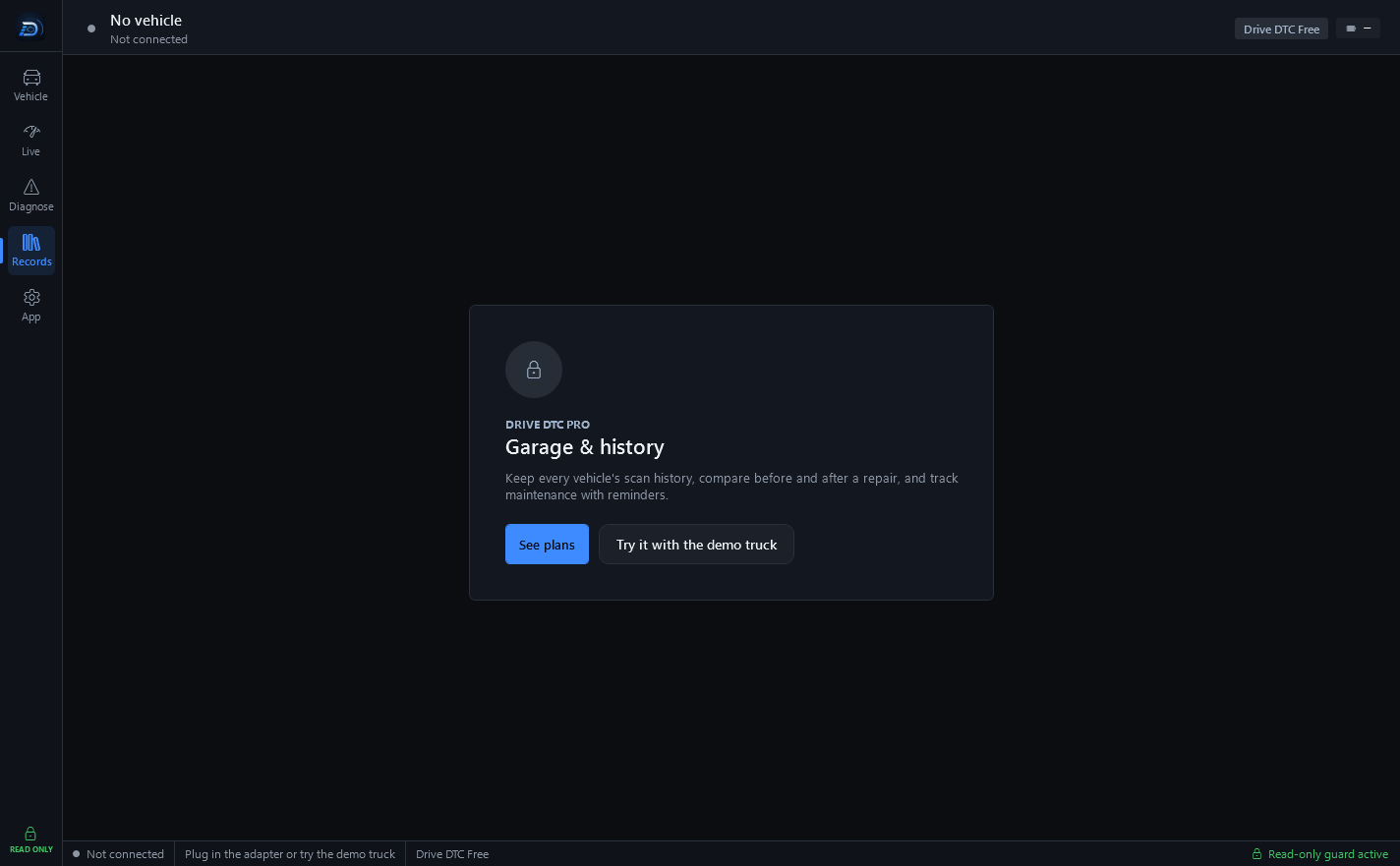
- Garage, history & before/after compare
- Battery & charging test
- PDF reports
- Cloud sync & share links
Shop
For repair shops and dealers
One-time
Price shown in the Microsoft Store
- Everything in Pro
- Every brand pack included
- Customer details on each vehicle
- Reports branded with your shop
Every plan is read-only by design. A plan changes what Drive DTC keeps, shares and shows – never what it can change on the vehicle.
Compare plans
What each plan includes
Free reads what the vehicle says. Pro keeps a record of it and shares it. Shop puts your name on it for a customer.
| Feature | Free | Pro | Shop |
|---|---|---|---|
| Diagnostics | |||
| Health checkup & score | Included | Included | Included |
| Engine trouble codes on any brand | Included | Included | Included |
| Freeze frame & clearing engine codes | Included | Included | Included |
| Live data, recording & replay | Included | Included | Included |
| Readiness & misfire counts | Included | Included | Included |
| Vehicle details & recalls | Included | Included | Included |
| HTML reports | Included | Included | Included |
| Demo vehicle with every feature | Included | Included | Included |
| Records, reports and sync | |||
| Towing screen & custom alerts | Not included | Included | Included |
| Performance timers & fuel economy | Not included | Included | Included |
| Garage, history & before/after compare | Not included | Included | Included |
| Battery & charging test | Not included | Included | Included |
| PDF reports | Not included | Included | Included |
| Cloud sync & share links | Not included | Included | Included |
| For shops | |||
| Every brand pack included | With a pack | With a pack | Included |
| Customer details on each vehicle | Not included | Not included | Included |
| Reports branded with your shop | Not included | Not included | Included |
Brand packs
Extra systems, one brand at a time
Engine codes, live data, freeze frame and recalls work on every brand for free. A brand pack adds that brand's extra systems – ABS and airbag codes, transmission temperature and tire pressures. One-time purchase. Prices coming soon.
Brand support is being built one brand at a time. Coming-soon brands and features aren't guaranteed – see the Terms.
How buying works
The app is free. Plans are bought inside it.
Drive DTC is free in the Microsoft Store. Pro, Shop and brand packs are add-ons you buy from inside the app, and Microsoft handles the payment, taxes and refunds.
-
1
Install it free
Get Drive DTC from the Microsoft Store. Sign in with a free account, or enter a license code – either one opens the app.
-
2
Try everything with the demo vehicle
Every feature is unlocked while you're connected to the demo truck, so you can try it before buying. Press Start demo on the Connect screen – no vehicle or adapter needed.
-
3
Upgrade from Settings & plan
Open Settings & plan → Your plan and press Upgrade to Pro or Get Shop. The Microsoft Store takes the payment, and Pro or Shop switches on in the app.
-
4
Keep it on your next PC
On another computer, open Settings & plan and press Restore purchases. It re-checks the Store for what you already own.
License codes and coupons. Codes look like DDTC-XXXX-XXXX-XXXX-XXXX and work without an account. Enter one on the welcome screen under Use a licence code, or later under Account. A coupon word off a flyer works there too. Keep your code private – it works on a limited number of computers.
Refunds
Refunds, the short version
Pro, Shop and brand packs are sold and processed by Microsoft, so Microsoft decides refunds for them under its own policies.
To ask for one, go to account.microsoft.com → Payments & billing → Order history, find the purchase and choose Request a refund.
- Try before you buy: the free version and the demo vehicle show how Drive DTC works with every feature.
- Microsoft Store purchases are refunded by Microsoft, under Microsoft's refund policies.
- License codes are final once they're activated.
- Please contact us before disputing a charge – we want to help.
FAQ
Questions about plans
Can I try Pro before I buy it?
Yes. Every feature is unlocked while you're connected to the demo truck, so you can try it before buying. Open Connect and press Start demo – no vehicle or adapter is needed. Plan features unlocked with the demo vehicle are for evaluation only.
Where is the price?
In the Microsoft Store, where Pro and Shop are sold. Open Settings & plan → Your plan in the app and press Upgrade to Pro or Get Shop – the Store shows the price before you confirm anything. Brand packs have no price yet.
Is there a subscription, a renewal or a trial that ends?
No. Pro, Shop and brand packs are one-time purchases through the Microsoft Store – no subscription. There is nothing to renew and nothing to cancel, and Free has no time limit.
Does my plan work on more than one computer?
Yes. On another PC, open Settings & plan and press Restore purchases – it re-checks the Store for what you already own. A free account keeps your plan, your garage and your support replies on every PC you use, on up to 3 computers. Shop accounts get a higher limit.
I have a license code or a coupon. Where do I enter it?
On the welcome screen, choose Use a licence code, type it and press Activate. A coupon word off a flyer works there too. If you're already signed in, enter it under Account instead. Codes work without an account, on a limited number of computers, so keep yours private.
Start with Free. Upgrade once, when you need to.
The app is free in the Microsoft Store. Pro and Shop are bought once, inside it – read-only by design on every plan.