 Drive DTC
Choose an OBD-II adapter
Which USB, Wi-Fi and Bluetooth adapters work with Drive DTC, and the one switch you have to get right.
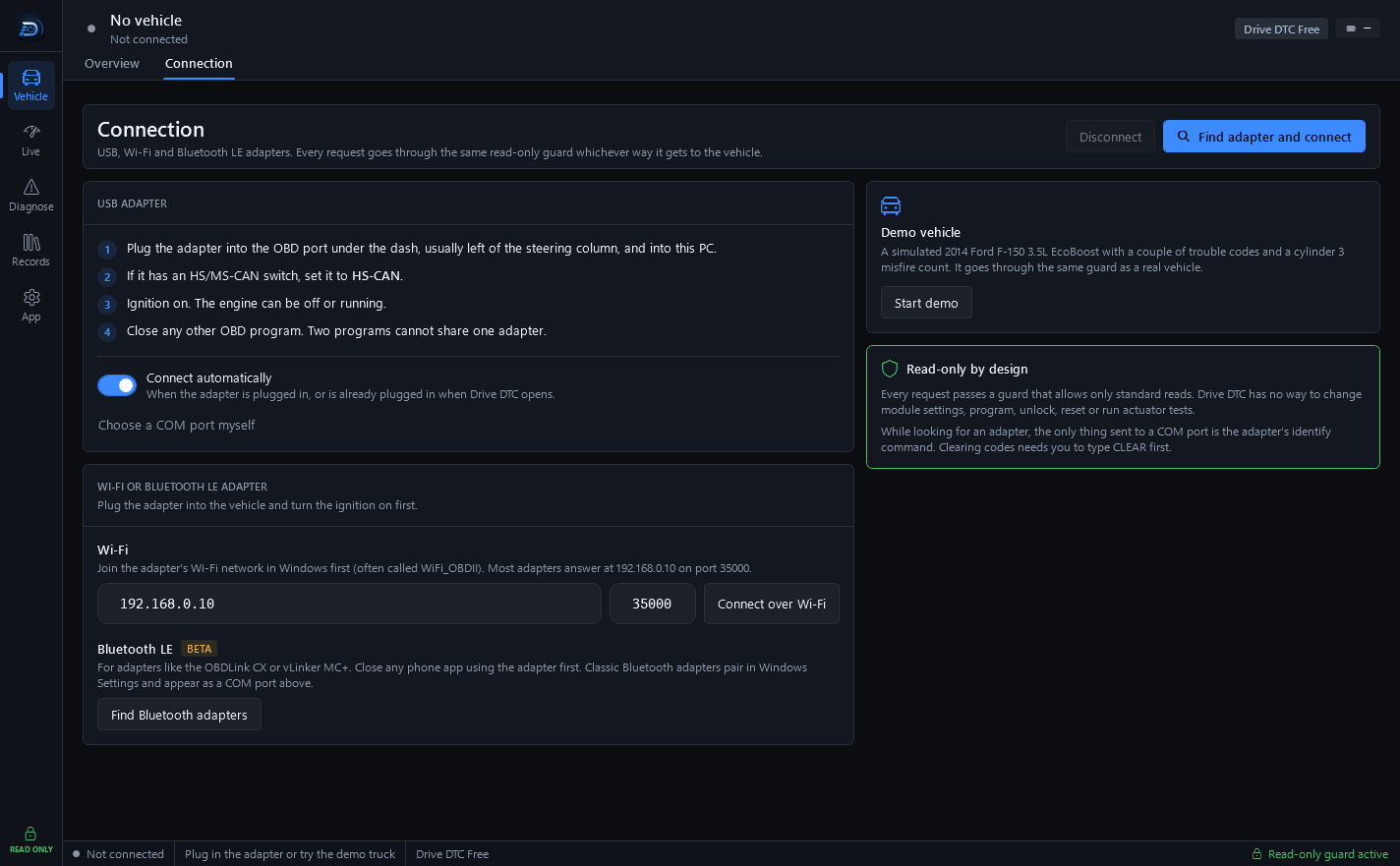
Drive DTC talks to your vehicle through an ELM327-compatible OBD-II adapter. Drive DTC finds the adapter's COM port and baud rate by itself. USB is the fastest and most reliable way in.
USB adapters
- OHP ELMconfig. Set its switch to HS-CAN.
- OBDLink SX.
- vLinker FS USB.
- Other ELM327-compatible USB adapters.
Windows needs the adapter's USB driver (FTDI, CH340 or CP210x). Most install on their own when you plug the adapter in. If Drive DTC finds no COM ports, install the driver from the adapter maker, plug it in again and press Rescan.
Wi-Fi adapters
Join the adapter's Wi-Fi network in Windows first (often called WiFi_OBDII). Most adapters answer at 192.168.0.10 on port 35000, which is what the Connection page fills in for you.
Bluetooth adapters
- Classic Bluetooth adapters pair in Windows Settings and then appear as a COM port, so they connect like a USB adapter. They can work, but USB is faster and more reliable.
- Bluetooth LE adapters such as the OBDLink CX or vLinker MC+ are supported as a beta. Close any phone app using the adapter first.
Cheap clones
Cheap ELM327 clones answer late and drop frames. If scans keep failing, turn on Be patient with a slow adapter under Settings & plan → Windows. Scans take longer, but they finish. Try it before believing an adapter is broken.
Note: Whichever way the adapter reaches the vehicle, every request goes through the same read-only guard. While Drive DTC is looking for an adapter, the only thing it sends to a COM port is the adapter's identify command.
Last updated
Was this helpful?