 Drive DTC
A feature is locked or your plan isn't recognised
What the lock screen means, and how to get Pro or Shop showing on this computer.
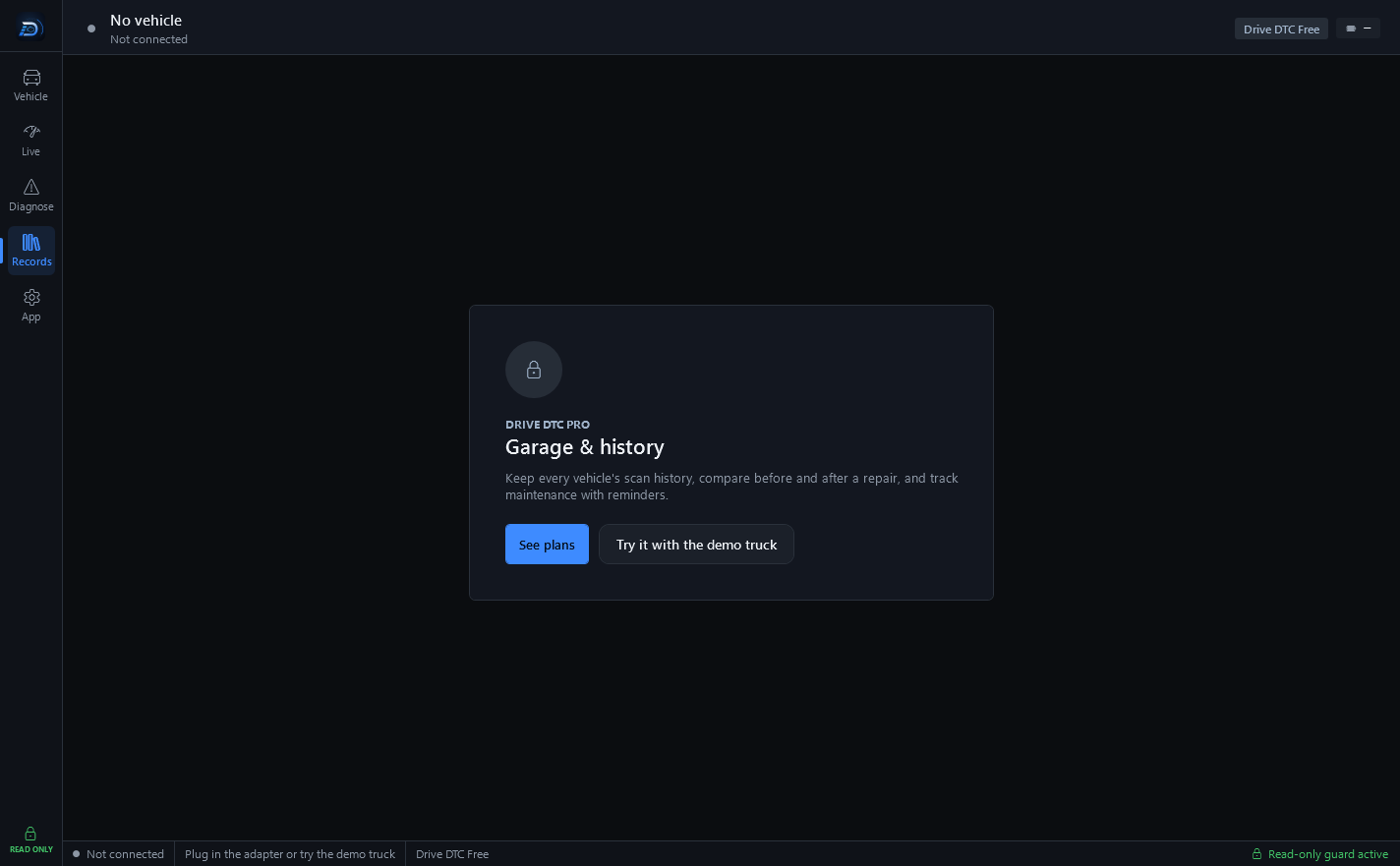
When you open a Pro or Shop screen without that plan, Drive DTC shows a lock screen with the feature's name, DRIVE DTC PRO or DRIVE DTC SHOP, a See plans button and Try it with the demo truck. Elsewhere, a small message such as "Share links are part of Drive DTC Pro." says the same thing. If you have paid for the plan and still see this, work through the list.
Check what the app thinks you have
Go to App → Settings & plan. Your plan shows the plan chip and, under it, where the plan comes from: Microsoft Store, a license code, a plan given by Drive DTC, or "Checking…" while it asks.
Bought in the Microsoft Store
- Make sure Windows is signed in to the Microsoft account you bought with.
- Press Restore purchases on Settings & plan.
- If the panel says "Pro and Shop are available in the Microsoft Store version", this copy was not installed from the Store. Install it from the Store and restore there.
Plan on your account
- Sign in on App → Account with the account that has the plan.
- Check Computers using your account. Past the limit, a plan or brand packs on your account won't work on this computer until you remove one of the others. See Computers on your account.
- If the plan was given by Drive DTC with an end date, Settings & plan says when it ends and what the account goes back to.
License code
- On the Account page, check the code line: its plan, brands and end date.
- Codes are re-checked online. Without internet they keep working for 7 days after the last successful check, then need a connection. Connect and open the app again.
- A code works on a limited number of computers. Press Remove from this PC on a computer you no longer use.
Brand pack extras missing
Ford pack readings need the pack, All brands or Shop, plus a 2008 or newer vehicle. See Values greyed out or not reported.
Note: While you sort it out, the demo truck unlocks every feature so you can keep evaluating. If none of this works, send a message from Help & support with Purchase or plan as the topic. See Contact support and send diagnostics.
Last updated
Was this helpful?