 Drive DTC
Run your first checkup
One button reads codes, readiness monitors, misfire counts and battery voltage in about ten seconds and scores the vehicle.
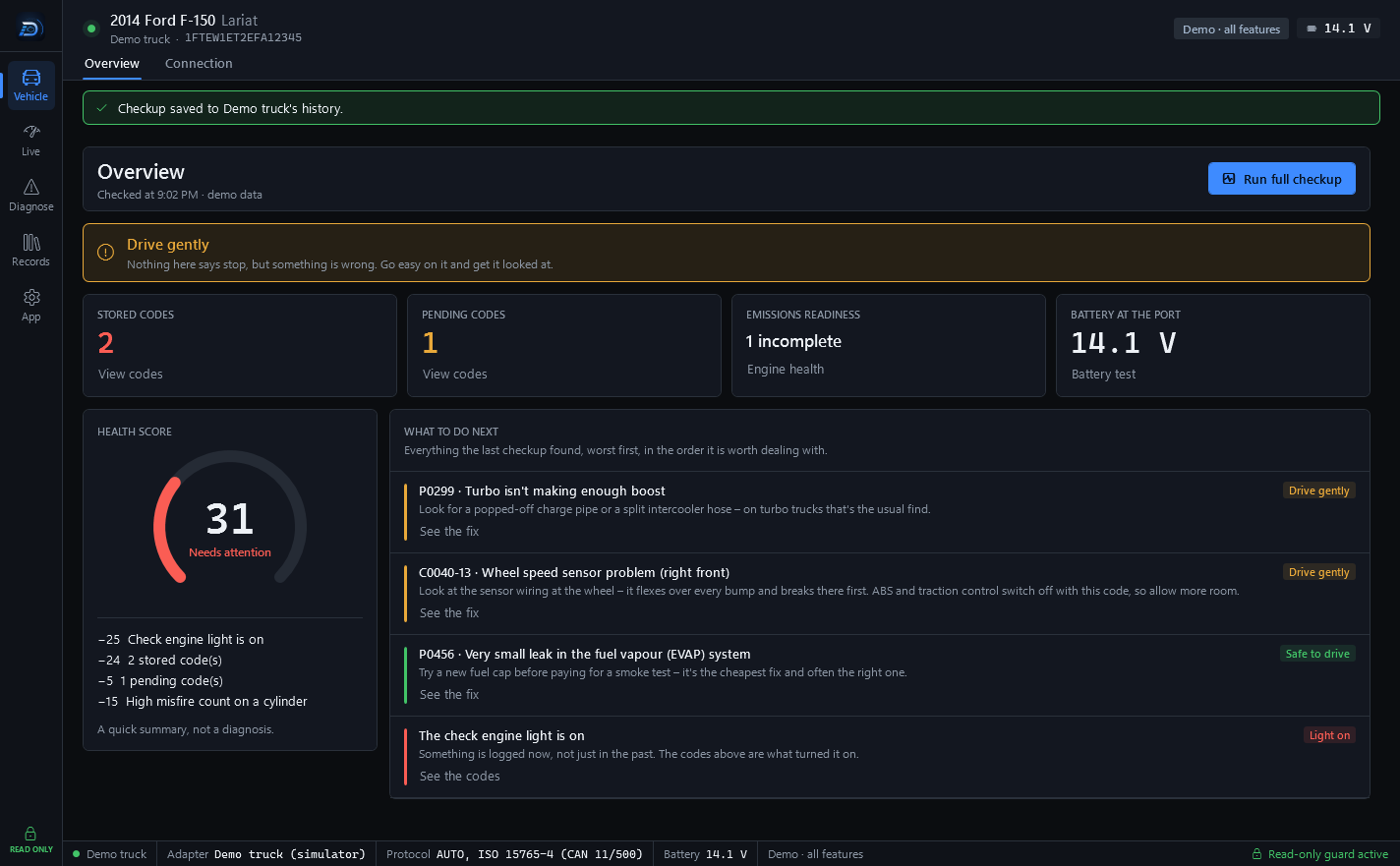
With a vehicle connected, the Overview page (Vehicle → Overview) has one main action: Run full checkup. It reads trouble codes, readiness monitors, misfire counts and battery voltage in about ten seconds, then scores the vehicle.
Run it
- Connect the vehicle with the ignition on. See Connect to your vehicle.
- Go to Vehicle → Overview.
- Press Run full checkup, or press Ctrl+Shift+C from any screen.
- Watch the progress text next to the button. It is done when the numbers appear.
What you get
- A verdict banner across the top: one answer, from everything the checkup found, about whether the vehicle should be driven. When it is urgent there is a Find a shop near me button.
- Four numbers: stored codes, pending codes, emissions readiness and battery at the port, each with a link to the page that explains it.
- A health score from 0 to 100, with the deductions listed under the gauge.
- What to do next: everything the last checkup found, worst first, in the order it is worth dealing with.
Note: A quick summary, not a diagnosis. The checkup tells you what the vehicle reports. It does not prove a part has failed, and it is not a substitute for inspection by a qualified technician.
After the checkup
With Drive DTC Pro every checkup is saved to the Garage automatically, so you can compare before and after a repair. See Your garage and checkup history. Settings & plan → Windows has a switch, Tell me when a checkup finishes, that shows a Windows notification with the result.
Last updated
Was this helpful?