 Drive DTC
Understand the health score and verdict
What the 0 to 100 score counts, what the verdict banner means, and why it is a summary rather than a diagnosis.
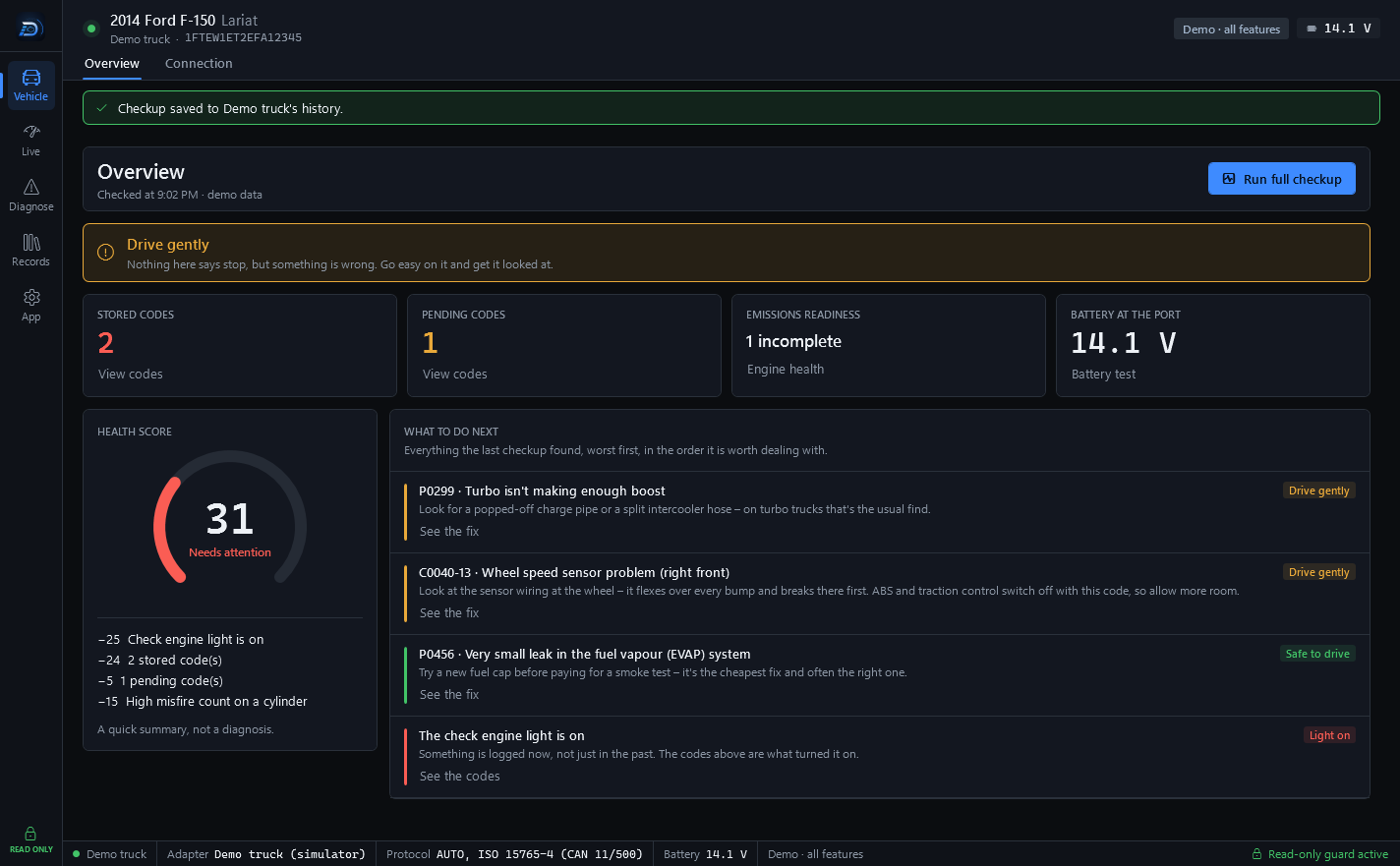
Every full checkup ends with a health score from 0 to 100 and a verdict. Both come from the same four readings: trouble codes, readiness monitors, misfire counts and battery voltage.
The score
The gauge on the Overview page shows the score with a label next to it. Under the gauge is the list of deductions, so you can see exactly what took points off, for example a stored code, an incomplete monitor or a low battery reading. Fix the cause and the next checkup scores higher.
On saved reports the same score is shown as a pill: 75 and above is green, 55 to 74 is amber, below 55 is red.
The verdict
The banner across the top of the Overview page gives one answer from everything the checkup found about whether the vehicle should be driven. When it is urgent, a Find a shop near me button appears in the banner. The line under the headline says what the answer rests on.
What to do next
The panel on the right lists everything the last checkup found, worst first, in the order it is worth dealing with. Each row has a badge for how serious it is, a short explanation and a button that takes you to the page where you can look closer.
Note: A quick summary, not a diagnosis. A trouble code tells you what the engine computer noticed, not which part failed. Drive DTC is not a substitute for inspection, diagnosis or repair by a qualified technician, for official manufacturer service information, or for a safety or emissions inspection.
Where the numbers come from
- Stored and pending codes: see Read trouble codes.
- Emissions readiness: see Readiness monitors and the drive-cycle coach.
- Misfire counts: see Misfire counts, self-test results and fuel trims.
- Battery at the port: see Battery and charging test.
Last updated
Was this helpful?