 Drive DTC
Values greyed out or not reported
Why a gauge, tire pressure, misfire count or ABS code does not show for your vehicle, and what you can do about it.
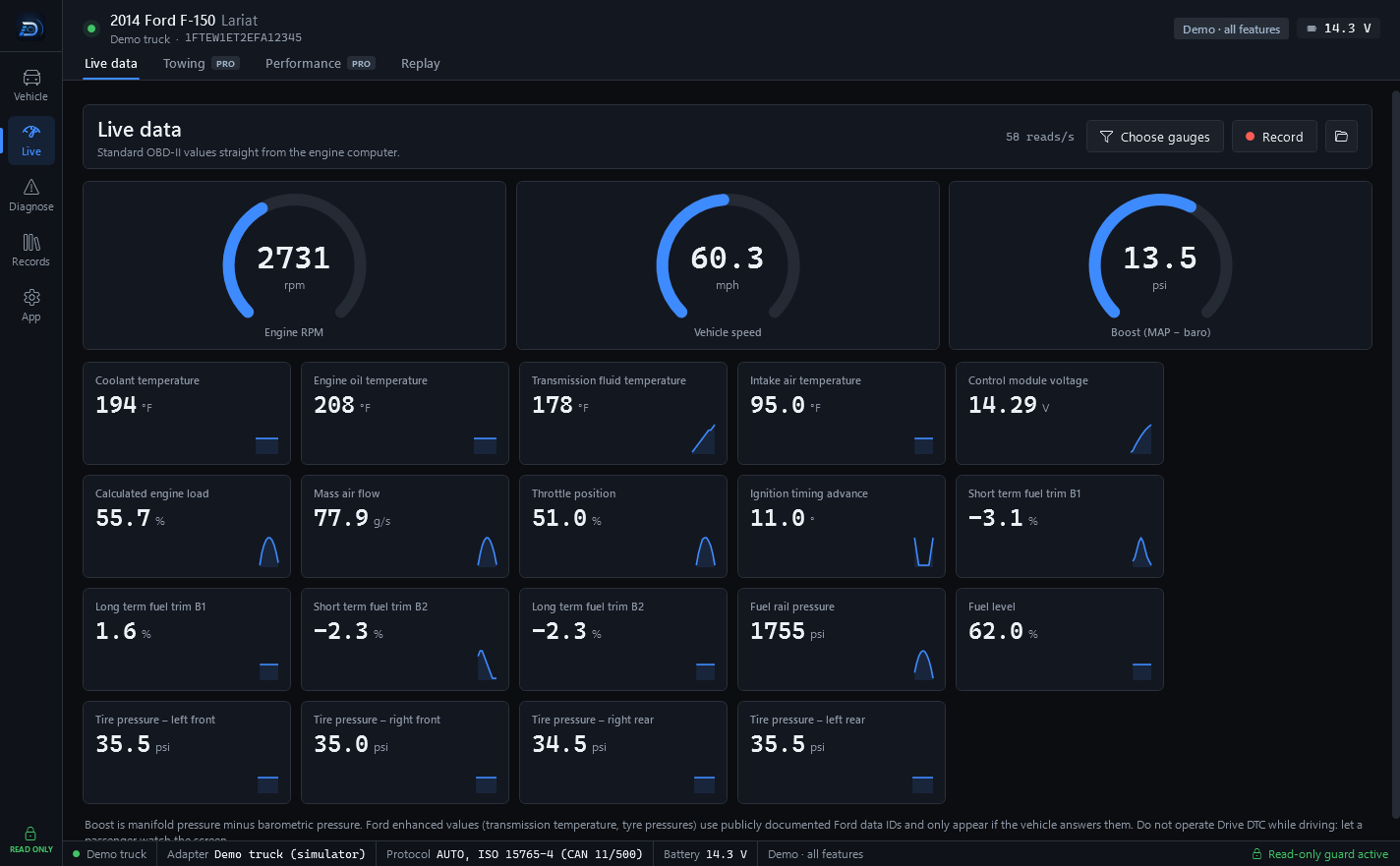
Drive DTC shows a value only when the vehicle answers the request for it. A greyed-out gauge or a missing panel means the vehicle did not answer, or the reading needs something you do not have yet. Here is what each case usually is.
Greyed-out items in Choose gauges
Pick what to watch. Greyed-out items are not reported by this vehicle. Older vehicles and some engines report fewer of the standard values. There is nothing to switch on.
Transmission temperature and tire pressures
Ford enhanced values use publicly documented Ford data IDs and only appear if the vehicle answers them. They also need:
- The Ford pack, the All brands pack or the Shop plan. On Free or Pro they stay hidden. The demo truck has them on.
- A 2008 or newer (CAN) vehicle.
The tire pressure IDs are community-confirmed on a 2013 F-150 and have not been confirmed on every year. If your vehicle does not answer, Help map this vehicle on the Vehicle & reports page can record which IDs it does answer, so support can be added. See VIN, safety recalls and owner complaints.
Misfire counts
Misfire counters are CAN-only, so they need a 2008 or newer vehicle. If yours does not report them, Engine health says "This truck didn't report misfire counters."
ABS and airbag codes
These need a 2008 or newer (CAN) vehicle and the Ford pack or Shop. The Trouble codes page tells you which case you are in: the modules did not answer, the modules answered but their codes are part of the Ford pack, or the reading is paused by Drive DTC while a problem is looked at.
1996 to 2007 vehicles
Older, non-CAN protocols work as far as the ELM327 standard goes, but they have not been tried on a real vehicle yet. Trouble codes, live data, freeze frame and readiness should work. Misfire counts and Ford values will not.
A slow adapter
Cheap ELM327 clones answer late and drop frames, which can look like missing values. Turn on Be patient with a slow adapter under Settings & plan → Windows and try again.
Note: The app is read-only. It cannot switch on a reading the vehicle does not offer, and it will not send anything to try.
Last updated
Was this helpful?